The app allows users to create drawings and sketch templates. Content created within the app can be shared via a link or exported in various formats including email, photo, video, and PDF.
Take notes on unlimited pages with templates like blank, lined, and grid. Import images and PDFs easily. Cut and move content with scissors tool. Use ruler and protractor for shapes. Access scraps via sidebar drawer.
Create vector drawings with speed and flexibility.
The app provides an intuitive tool for creating vector graphics such as flowcharts, technical drawings, and drafts. It offers speed and flexibility with customizable tools for precise alignment and adjustable elements.
Create logos using AI-generated designs. Choose colors, fonts, and styles. Customize layouts and download in various formats. Share logos directly or export for print.
Remove backgrounds from images using AI-powered erasing. Cut out objects with precision and create transparent backgrounds. Save as PNG or edit layers for detailed adjustments. Share edited images directly.
Create handwritten notes on iPad or iPhone. Import and annotate PDFs. Draw ink with finger, resize, recolor, and move doodles. Add text with customizable fonts, color, and alignment. Include shapes like arrows, polygons, and diagrams.
Images using customizable tools and colors, save creations to your photo library. Write notes as images and store them. Edit photos basic tools and save results.
Create pixel art with automatic double pixel removal for precise line art. Use round, square, and matrix dither brushes. Draw lines locked to isometric angles. Create rectangles and ellipses. Manage layers for animated projects.
Create drawings with customizable tools and colors. Adjust tool sizes and transparency levels. Undo or redo actions, clear drawings, or wipe off sections. Add blank paper to reset the . Change background and save preferred marker settings.
Create and annotate digital whiteboards with infinite canvas size and zoom. Choose from three paper backgrounds. Export to PDF. Toggle between light and dark modes. Purchase additional boards without recurring charges.
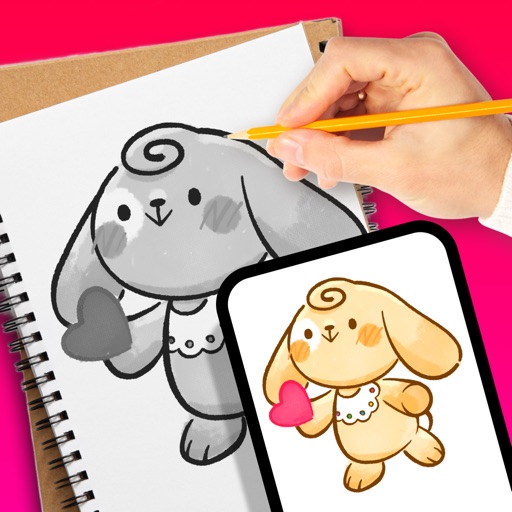
Turn real-world images into sketches using . Capture photos and apply freehand artwork with intuitive tools. Edit and refine sketches directly on the canvas. Share finished drawings via social media or email.
Create art using with 2-fold to 128-fold options. Draw patterns or let the generator create designs. Adjust brush size and style. Share creations on Facebook, Twitter, Instagram, and other platforms.