Create and manipulate microtonal scales with the TERZA engine for seconda/terza harmonization. Adjust tuning systems and route audio signals. Perform live with MIDI control and intelligent harmonization features.
by Gentian Coci★ 0.00 ratingsMusic$99.99Data updated 2026-09-06
Analyze MIDI and audio to identify key and scale. Suggest chords, melodies, and basslines. Connect to keyboards, synths, or MIDI devices via Bluetooth. Edit and arrange musical content. Export tracks in various formats.
Learn music theory with a visual . Explore relationships between major, minor, and diminished keys. View key signatures and triads. Play or mute chords and arpeggios. Lock the for reference.
Create and manipulate audio by dividing samples into tiny grains. Adjust pitch, duration, position, and volume of each grain. Layer and sequence grains to build complex sounds. Export modified audio files.
Play virtual instruments with multitimbral capabilities. Supports standalone or plugin mode. Compatible with macOS, Windows, Linux, and iOS. Adjust interface size for different monitor setups. Control via SL Keyboard or other MIDI inputs.
Learn and practice music intervals, scales, modes, chords, and cadences. Play back examples to understand sounds. Practice with melodic or harmonic exercises. Receive feedback on accuracy. Track progress over time.
Drums lets users select from three drummers with distinct styles. Adjust jam level and intensity using a 2D slider. Save mixer and effects settings for each sound bank. Toggle ride/hats and cross stick/snare options.
Create music by touching the screen to play notes and adjust sounds. Use multi-touch surfaces like radar, ribbon, or keyboard. Move fingers to modify tones. The semi-generative engine selects suitable notes automatically.
Compose music with Apple Pencil, converting handwritten notation into typeset scores. Edit, play back, print, and share scores. Record or import audio and edit it with Apple Pencil.
Import audio files and extract samples using automatic transient detection or manual markers. Play slices with MIDI controllers or built-in pads. Adjust parameters like reverse, level, attack, and release. Sync with AU hosts for automation.
Professional music synthesizer with virtual analogue sound engine. Play using on-screen keyboard or MIDI controllers. Connect to digital audio workstations via MIDI. Sync with other apps via MIDI Clock.
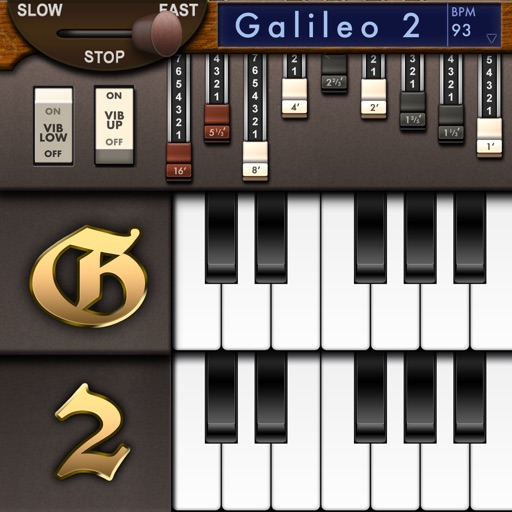
Create and customize sounds with 17 different types. Configure three manuals independently. Use scanner vibrato and chorus effects. Simulate rotary cabinets and tube amplifiers. Access AUv3 plugin for integration.
Explore and scales with a dictionary featuring user libraries and reverse mode. Search by keys or MIDI input. Build chord progressions with common patterns. Use the circle of 5ths for navigation.
Simulate the ANS synthesizer by drawing spectrograms to create music. Adjust parameters like pitch, amplitude, and envelope. Play back compositions and export audio files. Learn about the history and unique capabilities of the ANS instrument.
Create and manipulate music using ribbon-like controls for pitch and modulation. Play melodies and chords with expressive gestures. Adjust synthesis parameters in real time. Export audio files and share directly.
Create and edit songs by dragging and dropping chords. Transpose songs to any key. Generate print-ready PDFs. Analyze and display fingerings for chords, scales, and arpeggios.