Transform photos into vintage styles from the 70s, 80s, 90s, or 2000s. Adjust hairstyles, clothing, and overall photo style to match the chosen era. Upload images, select a decade, and apply era-specific filters. Share edited photos with others.
by WHATSGOODAPPS LLC★ 5.01 ratingsPhoto & VideoFreeData updated 2026-09-06
The app offers different photographing themes including Portrait, Scenery, Food, Night, and Still Objects. It automatically selects matched filters for user photos based on the chosen theme.
Edit photos by adding from a selection of styles. Adjust transparency and size using the built-in editor. Save and share customized images with friends and family.
Apply filters inspired by real color film prints to photos and videos. Adjust colors pixel by pixel for realistic results. Save images in high resolution without quality loss. Compatible with editing software like Premiere Pro and Photoshop.
Apply filters to photos and videos for enhanced visuals. Choose from hundreds of professionally crafted filters organized by category such as Black & White, Selfie, Food, and Vintage.
Apply to photos to change their appearance. Save edited photos to roll automatically. Share photos directly without manual export. Purchase once for permanent use.
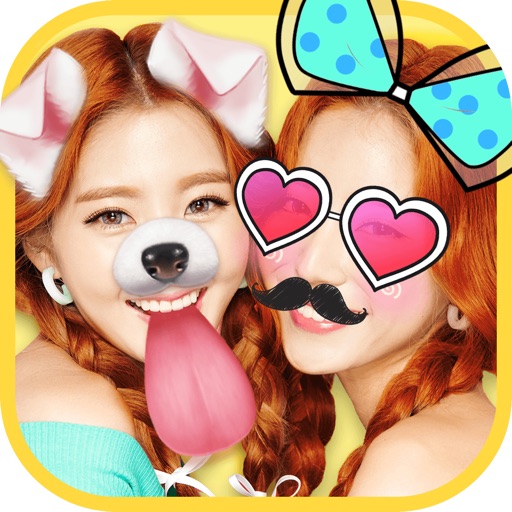
Take photos with built-in stickers including devils, rabbits, and cats. Apply stickers to photos in real time. Choose from over 30 templates. Share edited photos directly.
Record video with punch-in/out editing and jog wheel scrubbing. Apply customizable VHS and 8mm filters from the 1920s to 2000s. Adjust color, contrast, and brightness for desired vintage look. Export videos in various formats and share directly.
Edit photos with AI-powered enhancement, colorization, and object removal. Adjust lighting, sharpen details, and correct imions. Apply filters and restore old photos. Export edited images in various formats.
Edit photos with body transformation tools, one-touch filters, and cropping. Apply mosaic and blur effects to background. Add vignette. Adjust and share edited images directly.
Edit photos by applying filters and adding effects. Choose from 11 types and adjust brush sizes for detailed application. Zoom and pan using two fingers, or draw with a single finger. Save and share edited photos directly.
Create a game using personal photos for solo or two-player play. Flip cards to reveal images and pairs. Choose from themed decks like animals or landmarks. Set time or move limits for challenges. Share completed games via social media.
Edit photos using 200+ professional and filters. Adjust exposure, contrast, and color balance. Crop and rotate images. Add text and borders. Export in various formats and share directly.