Transform photos into vintage styles from the 70s, 80s, 90s, or 2000s. Adjust hairstyles, clothing, and overall photo style to match the chosen era. Upload images, select a decade, and apply era-specific filters. Share edited photos with others.
by WHATSGOODAPPS LLC★ 5.01 ratingsPhoto & VideoFreeData updated 2026-09-06
Convert photos to and with one tap. Apply various monochrome filters for different styles. Adjust brightness, contrast, and grain. Crop and resize images. Save and share edited photos directly.
Edit photos by selecting from a gallery or capturing new images. Apply unique and not found elsewhere. Adjust background colors and photo size. Combine multiple with a single tap. Export and share edited photos.
Capture photos with a vintage camera style, mimicking Fuji, Hasselblad, and Ricoh colors with visible grain. Retouch images using HSL adjustments, curve controls, defogging, and photo framing tools. Export edited photos directly.
Edit photos to remove blur and sharpen details. Adjust brightness, contrast, and color balance. Enhance overall image quality and export edited photos.
Apply color filters inspired by New City to photos and videos. Use photo effects like Daily, Retro 1, Retro 2, Old, SC, UB, MS, HL, TS, HR, CP, and BB. Apply live filters during shooting. Customize date stamps with specified date and format options.
Apply unique color tones to photos and save as wallpaper. View monthly themed films of Paris in different weather and lighting conditions. Upload and share edited photos with themed filters.
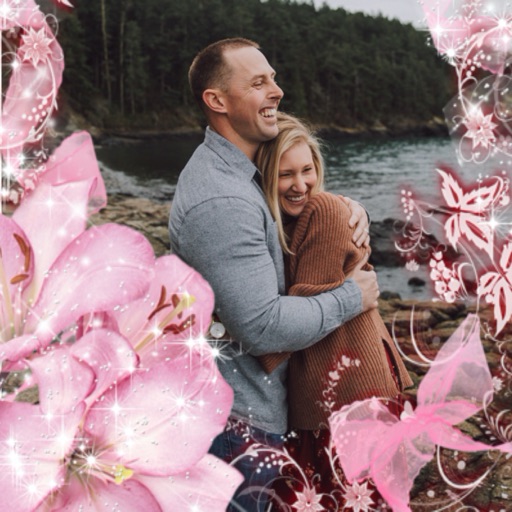
Select a or take a new one with the camera. Choose from over 30 colorful to decorate images. Apply different frame styles and designs. Save edited photos to the gallery and share them on social media.
The app allows users to combine facial features from up to four photos to create new face montages. Users can select images from their iPhone camera or photo library to create unique blends.
Control a four-axis drone via iOS device. View real-time video feed from the drone using WiFi. Capture photos and videos directly from the mobile phone.
Edit photos with multiple props, frames, and effects. Apply presets and overlays. Capture photos in portrait, landscape, or square orientation. Share images directly to social media. Supports iPad, iPhone, and iPod Touch.
Create collages by combining multiple photos into layouts. Choose from 50+ grid styles and tree or 3D modes. Edit photos with cropping, filters, and text addition. Share finished collages directly.
Edit photos by drawing on them with adjustable brush sizes and color choices. Use an erase tool and undo/redo functions for precision. Save edited images for later changes or share them directly on social networks.
Edit photos with neon, shadow, and synthetic effects. Adjust brightness, contrast, and color. Add text, stickers, and transparency. Apply blur, cartoon processing, and halftone patterns. Invert colors and use copy-paste tools.
Create collages using free layouts and grids. Add stickers, text, and backgrounds. Edit photos with cropping, flipping, and layering. Save and share finished collages or stories. Generate wallpapers from edited images.
Apply effects to photos in real time with 8 live lenses. Add 60 live filters to lenses or use 60 static filters for creative enhancements. Capture and share edited images directly.