Transform photos into vintage styles from the 70s, 80s, 90s, or 2000s. Adjust hairstyles, clothing, and overall photo style to match the chosen era. Upload images, select a decade, and apply era-specific filters. Share edited photos with others.
by WHATSGOODAPPS LLC★ 5.01 ratingsPhoto & VideoFreeData updated 2026-09-06
Convert photos into styles with AI technology. Upload images from the gallery and apply filters. Customize effects, add backgrounds, and save or share the edited versions.
Select and edit photos to add . Choose from various cap styles and position them on the head. Adjust cap fit and appearance. Save and share edited images.
Edit photos with color filters and blend effects. Add hundreds of stickers. Share edited images on Facebook, WhatsApp, Snapchat, and Twitter. Save and export in HD quality.
Create collages using photos and apply visual effects. Customize artwork and layouts. Share creations on social media platforms like Instagram, Facebook, and Twitter. Edit photos with filters and adjustments. Add text and stickers to images.
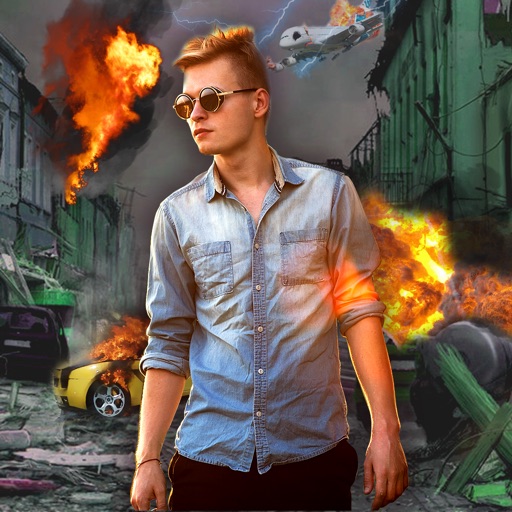
Edit photos with -themed effects like explosions, bomb blasts, and action stickers. Apply customizable FX frames and VFX filters. Decorate images to resemble posters. Share edited photos directly.
Create -style artwork from text prompts or photos. Generate high-quality images using AI. Upload images to enhance or modify. Export and share finished artwork.
AI-Style Check allows users to upload images for outfit evaluation and style feedback. Celebrity Lookalike Finder identifies celebrity resemblances through photo uploads.
Use the live camera or select a photo to apply mirrors and filters. Choose from horizontal, vertical, tri-h, tri-v, diagonal, quad, and other mirror types. Apply filters like B&W, Lomo, Colorz, Warm, Cold, Sepia, Nostalgia, Vibrant, Toy, and Sketch.
Edit videos by adjusting at different intervals. Apply fast up to 2x or down to 0.5x. Automatically sync audio . Export without watermark or ads. Supports unrestricted length and iPad use.
Edit photos by adjusting overall or selectively changing specific areas with customizable . Apply various filters to enhance images. Retain original for any part of the . Export edited photos in different formats.
Blur image backgrounds to create effects. Select photos from gallery or capture new images. Apply multiple blurring tools to adjust blur intensity. Export edited photos to device storage.
Create animation with filters, changer effects, and 8 animation styles including cartoon, , and pop art. Apply effects live from camera or photo library. Share on Instagram, Snapchat, or Facebook.
Apply filters and styles to photos to change appearance across different decades. Add faces to historical images. Share edited photos with friends. Access over 90 styles and 3000 5-star reviews. Edit and export images directly.
Capture photos from the device camera or select from the library. Apply over 60 design effects to images. Save edited photos to the library or share them on social networks.
The app transforms photos into undead or monster faces using over 80 filter masks. Users can apply effects to new pictures or existing ones from their camera roll and share the results.
Simulate photography with a variety of classic cameras including instant, CCD, disposable, toy, and slide projectors. Apply -like effects and filters. Capture photos with randomized outcomes. Share images directly or export in multiple formats.
Apply AI-generated art filters to photos using style transfer technology. Adjust brightness, exposure, and temperature for fine-tuning. Save and share edited images directly.