Change Photo Colors
Edit photos with custom color adjustments
Uniqo Lab FZC
iPhone Screenshots

Description
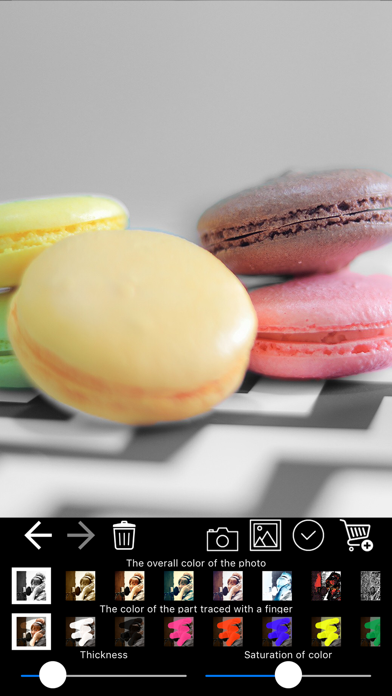
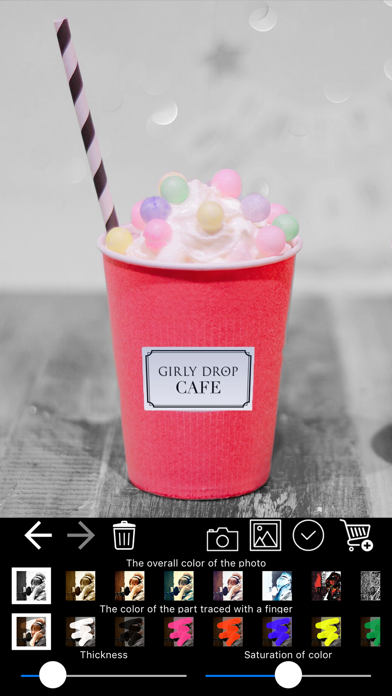
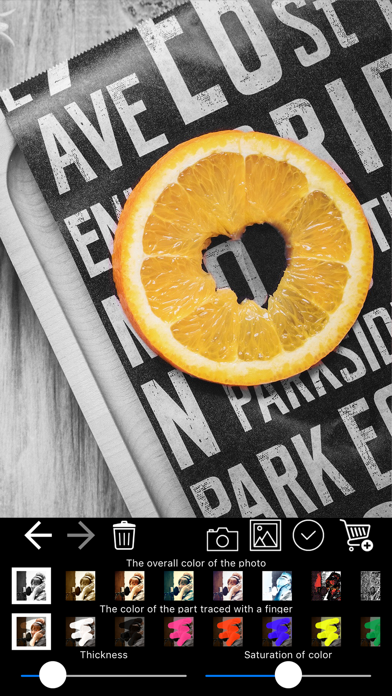
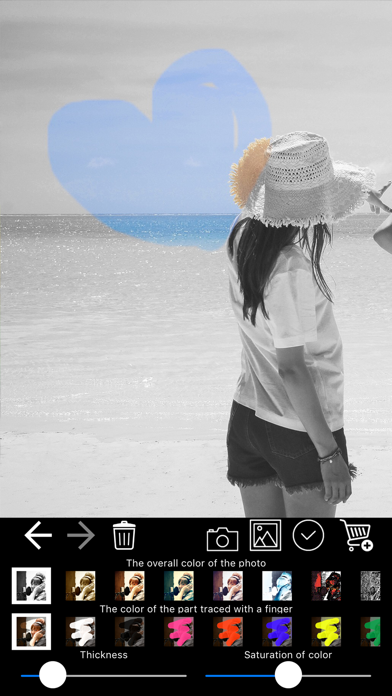
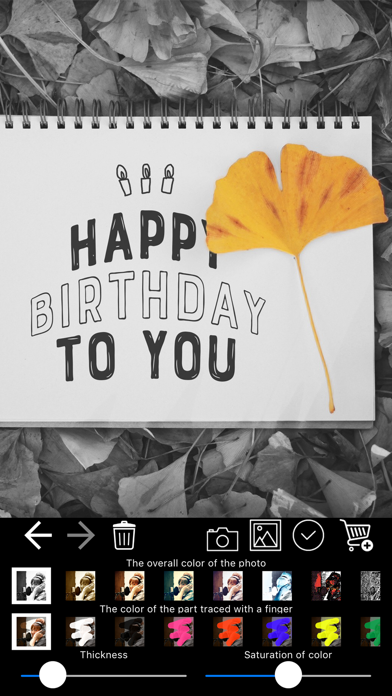
Edit photos by adjusting overall or selectively changing specific areas with customizable . Apply various filters to enhance images. Retain original for any part of the . Export edited photos in different formats.
The app allows you to process photos easily to make them look more stylish, by changing the colors of the overall photo or just the areas traced with your finger, using any color of your choice.
The app features many different filters that can be applied to your photos, as well as many colors for changing certain areas.
And, of course, the app also allows you to use the original color of your photos.
Change Photo Color full access:
Upgrade to the Premium version and get unlimited access to all content without ads!
Annual or Monthly subscription with 7-day free trial.
— Subscription payments will be charged to your iTunes account at confirmation of your purchase and upon commencement of each renewal term. Subscription with a free trial period will automatically renew to a paid subscription. You can cancel your subscription or free trial in the iTunes settings at least 24-hours before the end of the free trial period. The cancellation will take effect the day after the last day of the current subscription period and you will be downgraded to the free service.
— Please note: any unused portion of a free trial period (if offered) will be forfeited when you purchase a premium subscription during the free trial period.
— Terms of Use (EULA) and Privacy Policy: https://uniqo-apps.weebly.com/terms--privacy.html
Enjoy!