The app allows users to record horizontal videos and photos regardless of how the device is held. It uses the device's gyroscope to auto-level footage, correcting the orientation to stay parallel to the ground.
View, zoom, rate, and tag high-resolution images remotely during a photography shoot. Control camera parameters and trigger shutter using an iOS device. Integrate with One Pro for multi-user collaboration and remote camera operation.
Organizes photos and videos into monthly albums automatically. Swipe to delete, keep, or move media. Manages storage by removing duplicates and outdated files. Allows manual sorting and folder creation.
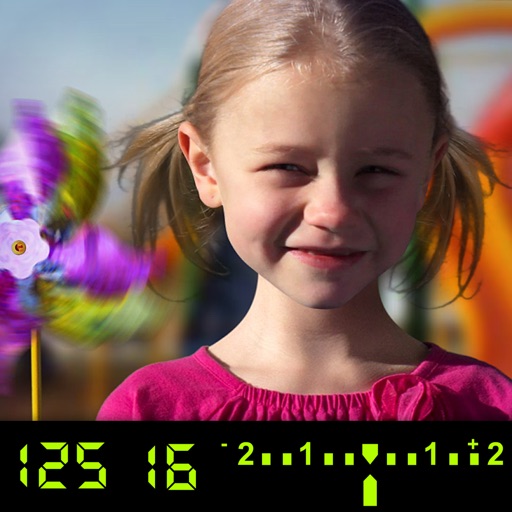
The app visually explains DSLR camera controls. Users can experiment with settings and see the effects on a sample image, receiving feedback on their choices.
Record videos in 4K up to 60 fps and 1080p up to 240 fps. Adjust shutter speed, ISO, and white balance manually. Apply high-fidelity audio tools and professional filters. Edit footage with precision and export in various formats.
Take photos with real-time beauty filters and effects. Apply makeup and adjust skin tone instantly. Use photo filters to enhance images. Create collages by combining multiple photos. Edit with blur, whiten, and other tools.
Record segments and splice them together. Use Dual Cam for split screen or picture-in-picture. Trim and cut individual clips. Add AI-generated subtitles and remove silent gaps. Edit videos without complex controls.
Create DSLR-style photos with background blur by selecting focus areas. Apply various filter effects for natural and realistic results. Adjust focus precision for professional-quality images.
Capture photos and videos with extended digital zoom capabilities. Record in 4K, FullHD, HD, and support JPEG, HEIC, TIFF, Raw, and ProRAW formats. Choose from extended video formats and stabilization modes.
Capture photos with durations from 1 to 30 seconds. Adjust settings manually. Preview images in real time. Save and share photos directly. No tripod required for stable shots.