Datasheet search allows users to find electronic components. Resistor color codes and markings are decoded for 4, 5, and 6 band codes. Electronic symbols are displayed according to IEC 60617, IEEE 315, and GOST standards.
Measure acceleration, orientation, and motion with built-in sensors. Record and analyze real-time data for experiments. Detect and generate sound tones. Visualize audio waveforms. Export measurements and graphs for scientific use.
Design lenses, simulate optics, control components
Model 2D lenses and mirrors with precise control over shape and placement. Design aspheric surfaces and perform geometric ray tracing. Conduct sequential and non-sequential analysis. Calculate front and back focal lengths and principal surfaces.
Solve problems by snapping photos or typing questions. Get instant solutions with detailed explanations. Explore the periodic table with interactive elements. Track progress with built-in quizzes and practice exercises.
Systems offers tools for matrix manipulation, eigenvalue analysis, and state visualization. Users can explore transformations and linear algebra concepts through interactive simulations and structured educational content.
Explore 3D models of elements using Apple Vision Pro technology. Rotate and zoom to view molecular structures. Learn about properties through interactive visualization.
Convert units across , engineering, and everyday categories. Perform calculations with built-in formulas. Save frequently used conversions. Toggle dark mode. Switch between languages. Provide feedback for improvements.
Solve , chemistry, and physics problems with step-by-step explanations. Save completed questions and in an directory. Share solutions via Print, SharePlay, or export. Collaborate with others in real time.
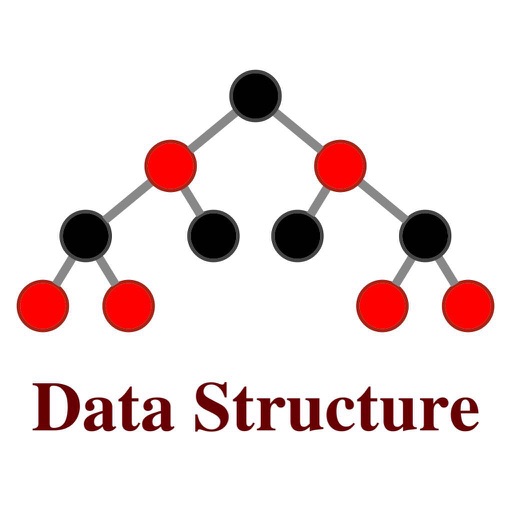
Learn linear structures like arrays, linked lists, queues, and stacks. Explore tree structures including binary trees and binary search trees. Dynamically debug structures and visually observe changes during operations.
Solve , physics, chemistry, and biology problems by scanning or typing. Receive step-by-step explanations for equations and formulas. Ask AI tutor for simplified explanations.
Record and edit files using multitrack editing. Cut, trim, and split segments. Apply effects and use a professional equalizer. Mix tracks and export in various formats. Share edited files directly.
Tools for professionals include real-time analysis with SPL display, tone and noise generation, wavelength calculation, UHF frequency reference, antenna line loss assessment, microphone gain calculation, and recording/playback of test signals.
Create and customize chord progressions using scale types, chord types, and voicing parameters. Generate rhythmic patterns and random sequences for musical variations. Export MIDI files and integrate with digital audio workstations.
: Tap Tool allows users to automate screen taps and swipes. Set custom intervals, durations, and repeat frequencies. Record and replay gestures for repetitive tasks.