Take photos using both front and rear cameras. Adjust focus, exposure, and white balance. Capture videos with manual controls. Edit images with basic tools. Save and share photos directly.
by Takahashi Kanna★ 0.00 ratingsPhoto & VideoFreeData updated 2026-09-06
Record video with real-time and 8mm effects. Adjust exposure, focus, and color grading manually. Capture photos with vintage filters. Export videos in high quality and share directly. Sync with editing software for advanced post-processing.
Edit RAW images with customizable adjustments. Convert to JPEG format. Save adjustments for future edits. Export images without watermarks after subscription. Share edited photos directly.
Edit photos by automatically cutting out portraits using AI. Apply various trendy templates to redesign images. Share edited photos directly to social networks like Instagram and Facebook. Adjust and enhance images with editing tools.
Edit photos with oil painting, sketch, and other artistic filters. Apply effects using AI-enhanced tools. Save and share edited images directly. View and manage gallery within the .
Remove objects, people, and backgrounds from photos using AI-powered tools. Edit imions and export images. Perform basic retouching and access three free removals daily.
Edit photos with AI , 30+ lipstick color options, and skin smoothing tools. Remove blemishes, adjust brightness, and apply natural makeup effects. Save and share edited images directly.
Capture photos using a simulated disposable interface. Adjust focus manually with a dial. Mimic real mechanics for authentic shooting experience. Save original images with premium upgrade. Automatically save photos. Remove ads with premium upgrade.
Guests scan a QR code to capture photos and videos. Edit images with filters and cropping. Share content directly to social media or via email. Save photos in a private gallery. Add captions and tags to memories. Sync photos with -specific albums.
Capture photos with filters and adjust sensitivity for creative control. Save and share edited images directly to device storage or social media. Use an intuitive interface to edit without technical barriers.
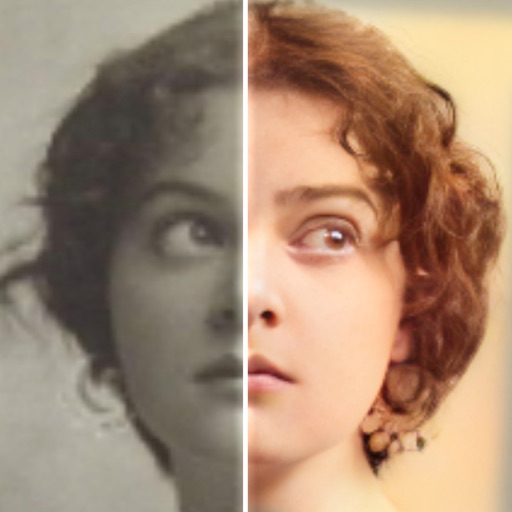
Edit photos with AI colorization, enhancement, and restoration. Remove scratches, tears, and blurs. Convert black and white images to high-definition . Adjust clarity and brightness. Share restored photos directly.
Capture photos with filters to enhance appearance. Adjust lighting and apply special effects. Share edited images directly. Track dining moments and save high-quality photos.
The app provides manual controls for focus, exposure, and white balance, allowing for more complex photographic and video results. These adjustments can be applied to both photos and videos, offering greater creative flexibility.
Capture and share celebration photos from guests and a photographer. View, download, comment, and like photos. Automatically receive photos from the Photo Booth. Share directly from the . No name mentioned.
Record using front and back cameras simultaneously. Adjust picture-in-picture frame size and position. Flip cameras in real time during recording. Share videos to social media platforms including Stories and feeds.
Take levitation photos using automatic alignment technology. Capture and edit images with community features. Share creations and access tutorials for advanced techniques. Sync with social media platforms directly.
Remove unwanted elements from photos using AI and image processing. Delete people, pimples, buildings, or any objects. Edit and save modified images without ads. Share edited photos directly.
Take photos and record videos simultaneously using front and rear cameras. Switch between cameras during recording. Apply real-time filters. Remove AI background for characters. Capture still images at any point during video recording.
Turn your iPhone or iPad into a kaleidoscope camera. Capture images with dynamic, shifting patterns. Adjust color and brightness settings. Share photos directly from the .
Edit photos with , cropping, and brightness adjustments. Add text, stickers, and borders. Export in various formats and share directly. Apply exclusive and enhance images with advanced tools.
Manage and organize photos with local and iCloud integration. Edit images using filters, cropping, and brightness adjustments. Share directly or save to a private library. Import videos and create collages. Add text and stickers to photos.