Apps Like iDOCTOR: Hardware Test for iPhone and iPad
View device specs and system details
View detailed and system information of an iOS device. Check CPU details, memory usage, storage capacity, and battery status. Access real-time performance metrics and device identifiers. Export data securely.
by Rodrigo Belloso★ 4.715 ratingsUtilitiesFreeData updated 2026-09-06
Clean photos by removing duplicates and identical images. Organize private albums for privacy. Display battery and memory widgets. Include personalized cleaning animations.
Programmable automotive diagnostic tool for car key programming. Supports in-circuit and on-adapter board programming of EEPROMs. Enables key programming without soldering. Connects to vehicle systems for diagnosis and coding.
Alerts users when charging is complete and allows customization of health thresholds. It provides to extend life. The System Activity Monitor tracks usage and includes in- purchases for additional features.
Customize home screen with widgets for displaying information. Add multiple widgets with unique styles and sizes. Adjust layouts, backgrounds, fonts, colors, and images. Use pre-made templates offline or download backgrounds online.
The app reports hardware information including CPU frequency and device name. It displays OpenGL ES and Metal information, providing online access to extension specifications and featuring graphical rendering tests.
Access servers securely and monitor system resources
Access a SSH terminal for Mac, iPhone, and iPad. Connect to servers, monitor CPU, RAM, and disk usage in real time. Perform SCP transfers and manage credentials locally without data collection.
The app provides hardware discussion and information, including details on memory and storage. It also features a hardware FAQ powered by Ask Different.
Optimize files, manage contacts, store media, compress
ChatGPT integration allows users to interact with an AI assistant for task automation and information retrieval. Media file compressor reduces image and video sizes for easier storage and sharing.
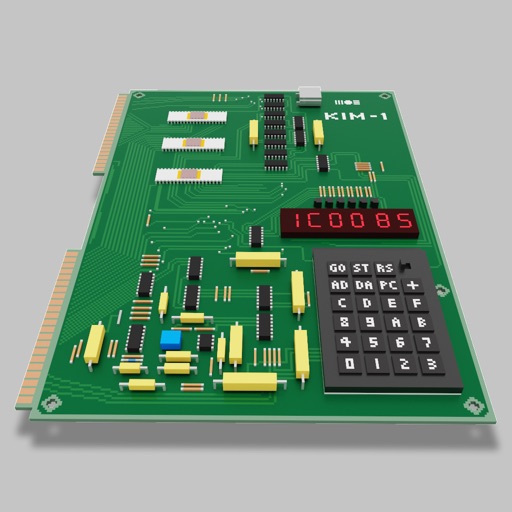
Users can assemble and debug assembly code using a simple interface with 7-segment LEDs and buttons. Run programs on an emulated 8-bit processor. Solve programming puzzles and explore hardware components used in early home computers.
Clean up duplicate photos, similar videos, and unnecessary files automatically. Organize storage by removing clutter and optimizing device performance. Scan for space-saving opportunities and manage files with intelligent sorting.
Connect to Power Magic Ultra via Bluetooth to manage power and settings. View capacity, remaining time, temperature, voltage, and current. Adjust settings like beep sound and total capacity.
Monitor provides real-time tracking of CPU usage, RAM allocation, disk activity, and health. Users can view performance metrics, monitor resource distribution, and analyze behavior through an intuitive dashboard.