Edit photos and videos with vintage and retro styles using curated presets. Apply filters to adjust color, contrast, and tone. Use templates for minimal, paper, film, or polaroid effects. Export edited content in various formats and share directly.
Elevate resolution with advanced tools. Enhance image quality using precision algorithms. Retouch portraits to refine details. Restore old photos to improve clarity and color. Adjust brightness, contrast, and sharpness.
Edit photos with one-tap auto enhance and apply hundreds of filters and . Add stickers, frames, and text. Adjust brightness, contrast, color temperature, and saturation. Crop, rotate, and straighten images. Sharpen or blur details.
Allows users to create and manage custom development recipes with separate timers for each stage. It features a mode suitable for B&W photographic paper. The displays all necessary information clearly.
Edit portraits with advanced skin retouching tools. Adjust 13 skin parameters for smooth, glowing results. Remove eye bags, crow's feet, and oils with one tap. Eliminate blemishes, freckles, and acne at the pixel level.
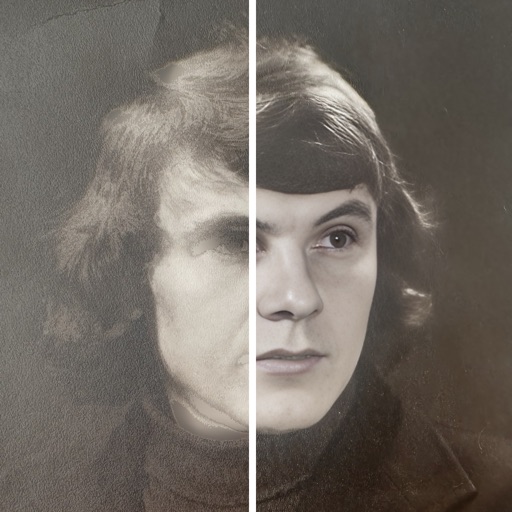
By removing fading, scratches, and yellowing. Enhance color and clarity using AI. Convert black-and-white images to color. Adjust brightness, contrast, and sharpness. Export restored in high-quality formats.
Create custom photo calendars by selecting images from camera roll, Facebook, Google Photos, or other sources. Choose from design templates to personalize the calendar. Export and print the final calendar as a high-quality print.
Create stories with 100+ premium static and animated templates. Apply beautiful filters and select handpicked fonts. Edit and share stories directly to Instagram or other social media platforms.
Create virtual wall displays to showcase art, photos, and designs in realistic room settings. Adjust lighting, color schemes, and layouts to visualize how artwork fits in different spaces. Share finished designs with clients or fans for feedback.
Create and customize for cross and pixel art. Set grid size up to 1,000 x 1,000. Choose display formats including symbol, fill, and . Use rulers and context menus to copy, move, flip, or clear elements. Duplicate pages and select starting positions.
Create dynamic slideshows with auto-updating content from cloud storage. Add custom animations, video playback, clock, and weather overlays. Display photo details and sync with iCloud, Google , Google Drive, Microsoft OneDrive, and Dropbox.
Create videos using AI-powered templates and custom ideas. Upload photos or text to generate romantic, epic, or viral-style videos. Edit length, add music, and export in various formats. Share directly to social media platforms.
Arthur Eduardo Skaetta Alvarez Desenvolvimento de Software LTDA.
Apply depth effects to selfie videos
Lets users apply and adjust depth effects to selfie videos. They can preview each frame in real time before exporting. Users tap to share edited videos directly. The functions without an internet connection.