Create images from text or existing photos using AI. Convert images into various styles. rtistic or realistic visuals based on simple descriptions. Edit and export resulting images in different formats.
by Aqsa Muhammad Shahbaz★ 4.913 ratingsUtilitiesFreeData updated 2026-09-06
Photos to PDF instantly with support for JPG, PNG, and HEIC formats. Combine multiple images into a single PDF. Import from Camera, Photos, or Files. Extract pages from PDFs as images. Save and share directly.
Edit photos by selecting from the gallery or capturing with the camera. Apply multiple and effects. Adjust position, size, and angle. Save, share, or upload images to social media platforms like Facebook, Twitter, or email.
The app allows users to create animated GIFs by adding and arranging still images. Users can export their animation in three steps, turning photos or artwork into a smooth animated GIF.
AI assistant allows users to with multiple AI models including Perplexity, Grok, Anthropic, and OpenAI. Summarize documents, analyze web links, and generate images.
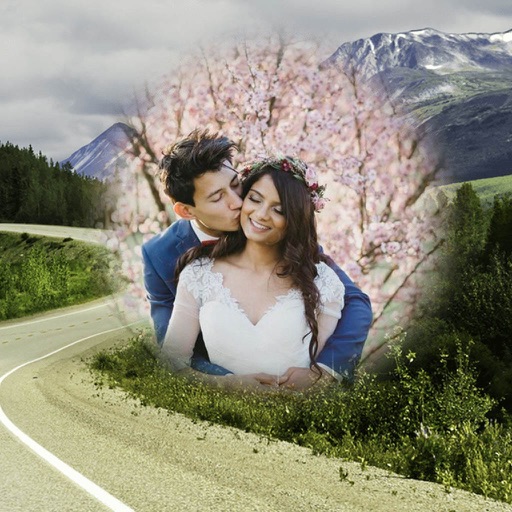
Add borders to photos or videos using customizable templates or emoji . Apply trendy to images and videos. Edit and share content directly to social media platforms.
Create flipbooks by importing images, capturing photos, or scanning documents. Rearrange pages and adjust flip speed. Export as video or share directly. Convert physical flipbooks to digital format.
Create QR codes from text, sentences, or addresses. Share generated QR codes as images. Read QR codes and other barcode formats. Search products using barcode scans.
Capture and organize inspirations using images, videos, audio, and text. View timeline for sequence and count. Access entries with a single tap. Edit text records directly. Sync across devices.
Resize photos while preserving the ratio of main objects using content-aware rescaling. Crop or adjust dimensions without losing important content. Export edited images in various formats.
Create and organize memories with visually distinct folders featuring custom colors and cover images. Design personalized themes and layouts. Add text, photos, and multimedia to entries. Share specific entries or entire journals with others.
Images between formats like JPG, PNG, HEIC, and PDF. Import from gallery, camera, web links, or cloud services. Select output format and save or share the converted file.
Full-screen text display with portrait and landscape support. Save multiple messages. Smart word wrapping adjusts text layout. Reorder messages by dragging. Edit messages with double tap. Share messages as images.
Identify fonts by capturing or uploading images. Analyze text style and characteristics for accurate matches. Explore alternatives and access download sources directly.