Displays a floating, customizable outline of presentation content during screen sharing. Users can adjust the outline's visibility and layout. It helps track key points without distracting the audience.
by Aihua(Kevin) Sun★ 0.00 ratingsUtilities$9.99Data updated 2026-09-06
Allows users to highlight screen areas with a effect. It includes a magnifier for zooming in on details. Click effects enhance visual communication. The Teleport feature moves the between displays using a shortcut.
Create and edit slides with a full toolset. Import and export PPT files for compatibility. Convert slides to PDF, TXT, or images for different formats. Organize content with intuitive layout tools. Share presentations directly from the .
Helps users manage by limiting access to distracting apps. Set periods, block specific apps, and receive notifications. Track usage patterns and adjust settings to improve productivity without restricting all access.
View and interact with database data through customizable . Display information in calendar, matrix, or list formats. Filter and sort data for precise visibility. Integrate with databases.
Track and set blockers to limit distractions. Use customizable focus timers for structured work sessions. Set daily goals and receive notifications to stay on task. Sync across devices to maintain consistency.
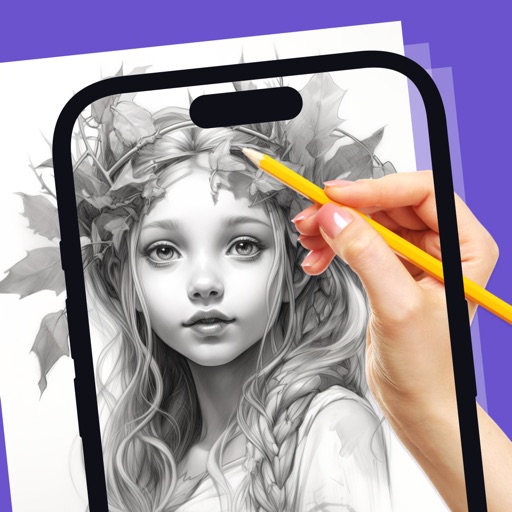
Allows users to create artwork on any surface by projecting templates onto real-world surfaces via camera. Users can outline projected images in real life and watch their sketches materialize.
Explore chemical elements with detailed information and atom structure simulations. Conduct virtual chemistry experiments. Filter and search elements quickly. Download PDFs for each element. Access presentation galleries and movie clips.
Block ads and pop-ups across websites. Browse privately without leaving traces. Store sensitive data in a secure vault. Lock apps and files with passwords. Scan Wi-Fi networks for security risks. Restrict access to distracting or unsafe websites.
Pop Out displays a floating , , pomodoro, or in picture-in-picture mode. Users can move, resize, or hide the window. It supports precise timing for tasks like presentations or workouts. Subscription payments are processed through iTunes.
Track expirations, counters, and inventories with color-coded visualizations and customizable settings. Set smart reminders for expirations. Sync data across devices using iCloud. Adjust color codes for individual items or apply global rules.
Keep track of scores with intuitive gestures. Swipe to score points quickly or tap to add individual points. View a mirrored layout for both players. Adjust scoring settings and save game progress.
Record videos while reading scripts from the screen using a . Trim and crop recordings. Edit videos with built-in tools. Adjust text size and speed. Share finished videos directly.
Helps users reduce by offering a relaxing fishing . Blocks distracting apps during focus sessions. Allows users to cast lines, track progress, and reel in to end sessions. Syncs with for tracking.
Block distracting apps and websites to reduce distractions. Set daily usage limits for specific apps. Track and receive real- feedback. Get personalized habit insights to improve phone usage habits.
Create presentations using 70 customizable with over 20 slides each. Adjust colors, fonts, images, and animations within . Request additional for specific needs.
Distracting apps to reduce screen time and increase productivity. Set daily limits, track usage, and receive notifications to stay focused. Access curated lists to manage time effectively.
Mirror device screens to compatible displays like smart TVs and projectors. Share photos, videos, and presentations. Play mobile games on larger screens. Control settings and adjust display quality.