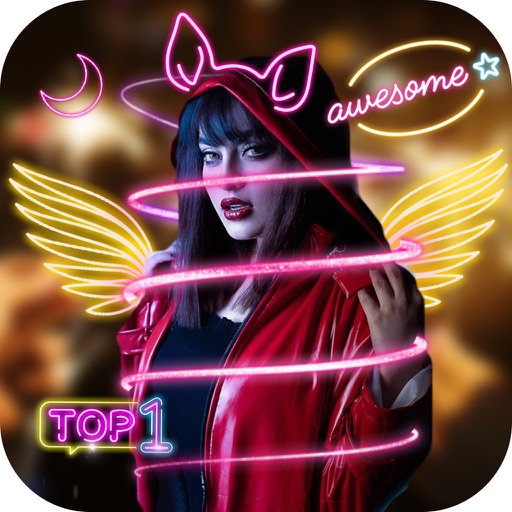
Apply glow effects to photos with adjustable filters. Add customizable light trails and neon highlights. Share edited images directly to social media or messaging apps. Adjust brightness and color temperature for enhanced visuals.
by oli boler★ 4.396 ratingsUtilitiesFreeData updated 2026-09-06
Capture photos and videos with and effects. Adjust filter intensity and view heat patterns in low-light conditions. Record and save footage with simulated infrared visuals. Share captured content directly.
With Hi-Def, Scenery, Food, Portrait, and Night effects. Adjust saturation, warmth, tint, and fade. Crop, rotate, and straighten images. Draw, add text, and create memes. Use Focus or Vignette to highlight subjects.
Edit photos with curated lighting presets like Soft Pink and Cool White Tone. Adjust brightness and color temperature. Capture selfies and close-ups in low- conditions. Use vibe lights to enhance mood and ambiance during photo sessions.
Turn your iPhone or iPad into a mood with adjustable colors and pulsating light effects. Place a water bottle on the glowing circles to lift light into the bottle. Customize color shifts and add orbiting circles for dynamic lighting.
Edit photos with one-touch object removal, AI-powered enhancements, and advanced retouching tools. Adjust colors, brightness, and contrast. Add text, stickers, and filters. Export in various formats and share directly.
Enable glowing effects with customizable colors and themes. Add symbols, emoticons, and emojis. Choose from vibrant skins. Enhance typing visibility and creativity during messages.
Video and music player allows high-quality playback with advanced controls. Gallery lets users browse and view images in an intuitive interface. Video editor enables trimming, cutting, and adding effects.
The app offers tools to enhance photos with filters, adjust brightness, contrast, saturation, and warmth. It also provides options to crop, flip, rotate, and straighten images.
Edit photos with raw format support, analog film-like filters, and 15 adjustable settings. Apply presets to save and reuse editing configurations. Use a unique crop tool and view a live histogram for precise adjustments.
Edit photos using filters, adjustments, effects, blur, focus, and rotation. Add text, stickers, and emoticons. Crop, resize, and apply tone curves. Draw and add splashes for creative touches. Save and share edited photos to social media.
Trace images to create sketches or drawings. Adjust line thickness and brush styles. Use an eraser tool. Apply filters to images. Select from gallery or take new photos. Draw on paper with phone held 1 foot above.
Edit photos with glowing effects and stickers. Add geometric shapes, spiral designs, and lightening effects. Adjust brightness and contrast. Share edited photos directly from the .
Edit photos with filters, masking, and color adjustments. Adjust brightness, contrast, and hue. Draw on images with customizable colors. Crop, rotate, and apply blur or focus effects. Export photos to the library.
Record vocals by importing songs from the music library and tapping record. Apply effects like Delay, Reverb, Filters, EQ, and Compressor to enhance audio. Export and share the final recording.
Edit photos with motion , bokeh lens, and mosaic effects. Adjust brightness, contrast, and color. Crop images to various sizes. Share edited photos directly. Apply to the entire image, background, or specific faces.