Edit photos using curated Lightroom for portraits, landscapes, and social media content. Organize into categories, save favorites for quick access, and apply them with a single tap. Export edited photos in various formats.
Morph faces in videos using AI technology. Upload videos and apply swaps. Edit and export results. Upgrade to Pro for longer videos and ad-free experience.
Manage subscriptions by canceling auto-renewing services. View active subscriptions, edit payment methods, and set renewal dates. Export subscription history and receive alerts for upcoming renewals.
Create intros and outros for YouTube and iMovie videos. Edit with real-time preview and fast rendering. Choose from 50+ templates. Add text, animations, and background music. Export in various formats.
Allows users to select from 60+ illustrations. Choose from four realistic drawing tools including watercolor. Paint using artist-created patterns. Save and share completed pages.
Apply blur effects like Gaussian, motion, and tilt-shift. Adjust blur intensity for desired results. Edit photos with tools to enhance clarity and composition. Save and share edited images directly.
Create face morph videos by blending images of faces. Adjust transitions for smooth effects. Add text and stickers to videos. Export and share final videos directly.
Upload photos to visualize , exterior, or landscape designs. Choose styles and color palettes to see transformed spaces. Generate ideas based on uploaded images and selected preferences.
High Mountain Electronic Commerce Development Limited
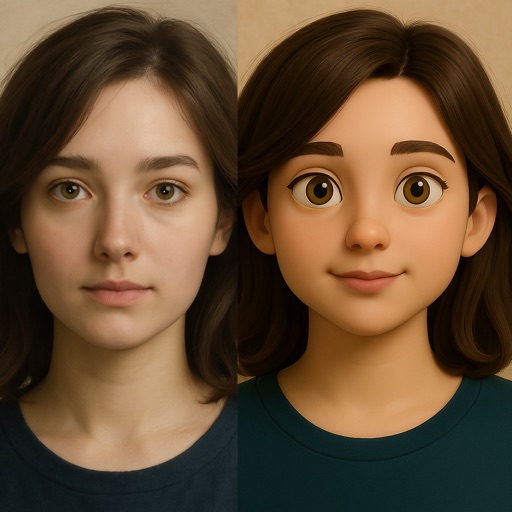
Edit photos with stickers and cartoon effects
Edit photos with cartoon and aging effects. Add style stickers and create cartoon avatars. Share edited photos on Instagram, Facebook, or TikTok. Record and share romantic moments with partners.
Create funny movies by applying face changers, effects, and voice modifiers. Record videos of friends or pets and add humorous transformations. Share finished videos with others.
Create paintings by drawing closed areas and filling them with color. Use finger strokes to build realistic landscapes. Share artwork or print to canvas. No prior artistic skill required.
Edit photos and videos with brightness, contrast, hue, saturation, and color filters. Add texture using blur, noise, dust, and dark corners. Apply vintage film-inspired filters for a retro look. Export and share edited content.
Create and share custom GIFs by combining selfies or photos with animated GIFs from a vast library. Edit and apply filters to enhance visuals. Save and share GIFs directly from the .
Edit photos with cropping, rotating, and filter adjustments. Retouch selfies and enhance lighting. Share to Facebook, Instagram, and IG stories. Save custom filter recipes. Batch edit multiple photos. Use + to stack filters and adjust strength.
Create collages by combining multiple photos into a single . Resize the , adjust rounded corners, change resolution, and modify the color. Rotate individual images within the . Premium plan offers additional features and auto-renewing subscriptions.
Editor lets users backgrounds, , or specific areas of images. It offers automatic , hand-drawn , face blurring, and various effects. Users can adjust intensity and apply the effect to selected regions.
Convert photos to pencil sketches with adjustable effects including ink, outline, stony, charcoal, and cartoon styles. Support black and white and color pencil painting. Apply stylization, high contrast, and other advanced editing tools.
Edit photos with facial retouching tools to remove blemishes and enhance skin tone. Add artistic filters and effects to selfies and portraits. Export edited images in high quality and share directly from the .