Apps Like AR Drawing: 3D Sketch & Trace for iPhone and iPad
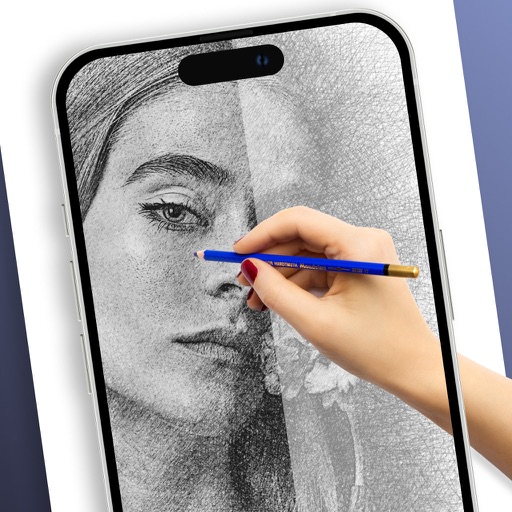
Draw on paper with your phone camera
Use your phone camera to projected images on paper and add color. Choose from templates like animals, cars, and nature. Includes a built-in flashlight. Share finished drawings with friends.
by Nienke Pleun★ 4.6104 ratingsUtilitiesFreeData updated 2026-09-06
Plus Apps Bilisim Teknolojileri Reklamcilik Limited Sirketi
Sketches with AR technology
To sketches using AR technology. Choose from various categories to practice. Follow step-by-step instructions to improve techniques. and paint directly on the screen. View animated tutorials for guidance. Save and review your artwork.
Create digital art with customizable brushes and over 1000 screentones. Design comic panels with fonts and filters. Add background brushes and adjust brush settings. Save and export artwork in various formats.
Helps users write and refine emails with AI-generated suggestions and storytelling. Offers proofreading tools, letter creation, and writing improvement tips. Enables users to draft messages, receive feedback, and enhance communication clarity.
Turn photos into drawings, cartoons, or sketches with one click. Apply 19 effects with full control. Save creations and share via Facebook, Twitter, Flickr, Tumblr, and Email.
Create by tracing virtual projections of photos on paper, easels, or any surface. Adjust drawing tools for precision. Learn drawing techniques with guided tutorials. Save and share finished pieces. Sync drawings across devices.
Check with a glance using a customizable . Choose between small and medium sizes. Each status has a unique drawing. Access funny movie quotes within the . Features accessibility options.
Images using customizable tools and colors, save creations to your photo library. Write notes as images and store them. Edit photos basic tools and save results.
View and convert geographic across multiple formats and datums. Manage locations with an intuitive interface. Display current location at the intersection of two grey lines. Export in various global systems.
Create custom fonts by drawing characters with your finger. Choose from various styles like scripts or block letters. Save and apply fonts to messages and social media posts. Share created fonts with others.
Identify coins by taking photos or uploading images. Use AI to recognize details. Check value and historical data. View mint marks and years. Save identified coins to a collection. Share results via social media or email.
Learn to with step-by-step tutorials and interactive guidance. Follow structured lessons to improve skills. Practice drawing techniques and receive feedback. Save and review progress. Share creations directly.
Create and customize digital artwork using a variety of colors and brushes. Select from multiple pre-designed coloring pages. Save and share completed drawings. Adjust brush size and opacity for detailed work.