Display photos as a digital frame. Upload images from devices or cloud storage. Set schedules for when photos appear. Customize layouts and backgrounds. Share albums with others. Sync with server for remote access.
by Rob Rogers★ 0.00 ratingsPhoto & Video$2.99Data updated 2026-09-06
Create , ID, and visa photos for 150+ countries. Automatically remove backgrounds and ensure biometric compliance. Save photos for printing or digital use. Generate high-quality images directly from your device.
Mirror iPhone or iPad to TV in real time. Watch photos and videos in HD. Browse web on TV. Cast web videos, movies, and sports events. Stream at 1080p with adjustable settings. Supports and multiple TV devices.
Browse artwork, download images, and display photos
Browse and download artwork, paintings, and photos for Samsung TV or Hisense CanvasTV. Access integrated libraries from Smithsonian, Wikimedia Commons, and Unsplash. and adjust images to fit borderless displays. Share or save edited photos directly.
Allows users to edit group photos by removing unwanted people or faces. Adjust expressions and reposition individuals within the frame. Apply filters and effects to enhance the overall appearance of the image.
View photos from iCloud Photo Library and see EXIF data, location, and lens direction. Filter by favorites, location, or date. Edit metadata by removing geotags and personal data. Copy raw metadata to clipboard.
Edit photos with -themed and effects. Choose from multiple creative designs. Import images from gallery or camera. Adjust brightness, contrast, and color. Share via Facebook, Instagram, or WhatsApp. Save high-resolution versions.
Create greeting cards by adding photos to frames. Select images from the gallery or take new photos. Choose from various frames and adjust photos with zoom and rotation. Share cards with friends and family.
Apply New to photos and share them with friends. Create and share New stories. Set New wallpapers as background images. Decorate trees with holiday balls and lights.
Create Instagram Stories using animated . Upload photos or videos to . nd share finished stories. Access all Pro features with a subscription. Renew monthly or yearly. Payments process through iTunes.
Create collages with customizable blur backgrounds and adjustable layouts. Apply filters like black and white, vintage, and retro to enhance images. Edit photos by resizing, cropping, or deleting elements.
Edit photos with seasonal frames and nature effects. Select images from the gallery or take new photos. Apply filters and effects to enhance visuals. Save and share edited photos directly.
View device photos and videos, organize into albums. Connect to local or cloud server. Upload selected media to import folder. Mark photos as uploaded. Enable HTTP Basic Authentication. Delete photos from device after upload.
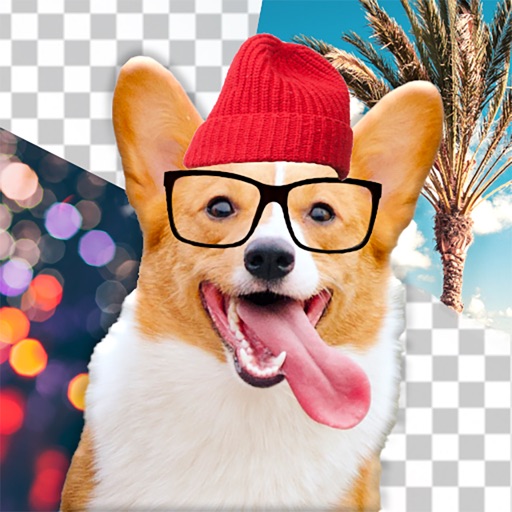
Edit dog photos with background changer, stickers, and wallpapers. Add text and voiceovers. Share edited images. Create custom puppy templates. Upload and modify dog photos for personal use.
Edit videos by importing, trimming, and cropping. Add hand-drawn animations and doodles for creative effects. Draw frame by frame in full mode for precise editing. Create custom animations and export the final .
Edit photos with crop, rotate, exposure, color, sharpness, and resize tools. Create grid collages and edit individual images. Access presets, clone tool, and fine curve adjustments for detailed edits. Export and share edited photos directly.
Access daily images from NASA's of the Day collection. View accompanying explanations from professional astronomers. Save photos to your camera roll or share them with others. Explore the universe with detailed descriptions and high-quality images.
Capture photos and videos using connected cameras or device cameras. Adjust settings manually or use automatic modes. Share images directly to social media or email. Print photos on-site or save to cloud storage.