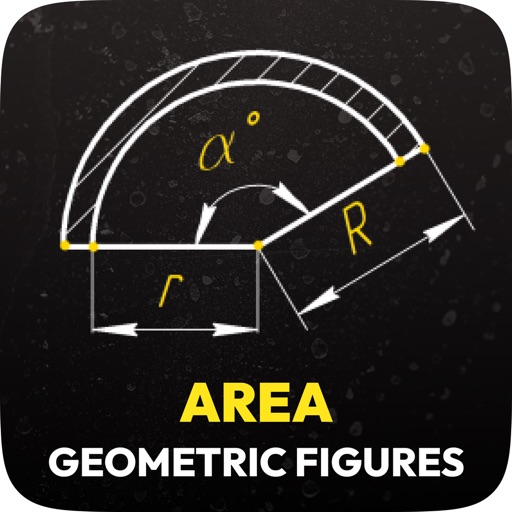
Create and manipulate geometric shapes such as points, lines, angles, and conic sections. Adjust properties and calculate metrics. Display shapes on a zoomable coordinate system. Construct medians, altitudes, and bisectors.
Perform calculations with a standard featuring extra-large buttons and functions like delete, x², √, and %. Use a scientific with 30 advanced functions. Convert units, calculate loans, and determine tips.
Calculate values using voltage, current, resistance, and power formulas. Access single and three phase calculators, horsepower tools, and unit converters. Unlock additional features with an in- purchase.
MyCalc offers basic and scientific calculation functions. Users can switch between portrait and landscape modes. It supports currency and unit conversions. Results, equations, and conversions can be copied, shared, or saved.
Convert units and currencies across hundreds of categories with real-time exchange rates updated every 6 hours. Calculate mortgages, loans, tips, and fuel consumption. Edit, create, or download customizable templates for various conversions.
Calculate sides and angles for right-angled and scalene triangles. Access a reference guide for formulas. Perform precise calculations using known values.
Solve math, biology, physics, chemistry, nursing, economics, and history problems with AI-powered step-by-step guidance. Type or snap a photo of equations or questions for instant answers.
Math tools include unit conversion for length, weight, temperature, and volume. Vocabulary practice features flashcards and quizzes. Color utilities allow conversion between color codes.
The app offers a way to access and review basic geometry concepts. Users can tap areas for detailed explanations and use a quiz to test understanding of terms and concepts.
Learn concepts through interactive lessons and quizzes. Practice identifying triangle types, calculating internal angles, and applying the triangle inequality. Calculate areas of triangles and equilateral triangles.
Calculate the between two dates, add or subtract from a , and determine workdays. Track workdays added or subtracted. Perform calculations with an intuitive interface.
Prepare for the section with -focused practice. Solve over 480 questions and review 48 revision notes. Take mock tests with mixed questions. Receive instant feedback on answers. Review explanations for correct responses.
The app displays the geometry of 3D solids on iPad and iPhone. Users can explore 63 different shapes, including Platonic, Archimedean, and Johnson solids, by rotating, pinching, and zooming.
Solve problems with step-by-step explanations. Calculate angles, areas, and volumes. Draw shapes and manipulate figures. Access formulas and theorems. Track progress and review solutions.
Unit and currency converter for quick conversions. Solve math problems with handwriting recognition. Calculate BMI, date intervals, and basic data. Analyze equations and perform photo-based problem searches.
Calculate metal weights with support for multiple metals, shapes, and units in both metric and imperial systems. Perform offline calculations without background processes. Save settings and favorite calculations.