Apps Like ReDo Loop: Recurring Tasks for iPhone and iPad
Track with flexible repeats
Track life like changing sheets or watering plants with customizable intervals. Set reminders and move between Upcoming, Do, and Overdue sections. Repeat based on completion rather than fixed dates.
by FIZBYTE S.R.L.★ 5.011 ratingsProductivityFreeData updated 2026-09-06
Manage schedules with a shared , color-coded events, and shift for complex work schedules. Track groceries, to-dos, chores, and reminders across devices. View and work schedules, kid activities, and upcoming events in one place.
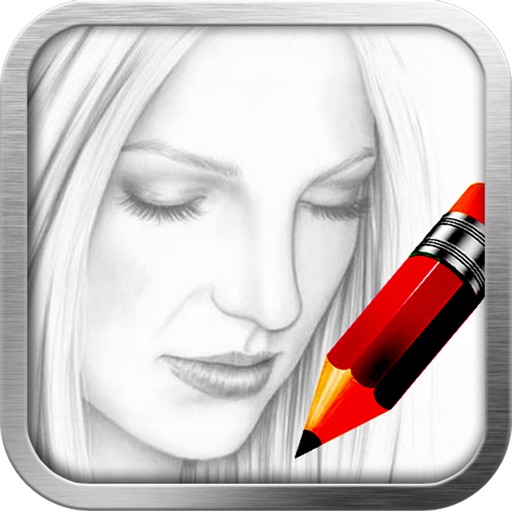
This sketch app allows users to import a photo as a sample to sketch a portrait. The app includes 23 brushes, a color picker, and pinch-to-zoom functionality.
Create knit patterns using vector symbols for increases, decreases, textures, cables, and variable symbols. Edit designs with tap and paint modes, undo/redo, and row/stitch numbering.
Create a by handwriting with customizable color and pen thickness. Choose from different pen and eraser tools. Undo or redo actions. Save the as an image or copy it to the clipboard. Scale display is available.
The app offers unlimited Sudoku puzzles across four difficulty levels. It includes features like Game Center support, hints, notes, and undo/redo functionality, along with animations and graphics.
Plan and organize tasks with timeframes like today, this week, or this month. Drag and drop to reorganize tasks quickly. Track habits without scheduling dates. Sync tasks with an integrated calendar. Build routines by linking tasks to habits.
Set daily reminders for tasks like meds or workouts. Create alerts with one tap. Choose repeat intervals including daily, weekly, or custom schedules. Snooze or reschedule reminders as needed. Receive notifications to stay on track.
Manage tasks using plain text markdown files. Create, edit, and organize tasks within a .md file. Sync files across devices via iCloud, Dropbox, or Git. Open and edit files in any text editor. No accounts or tracking involved.
Configure timers for with customizable durations and breaks. Set multiple timers to run simultaneously. Integrate with Siri and Shortcuts. Use as a standalone Apple Watch . Receive local notifications during background operation.
View events in month view with full screen swipe navigation or vertical scrolling. Access week view with portrait or landscape layout options. Add calendar widgets to home screen for quick event access. Requires in- purchase for widgets.
The app allows users to manage notes with customizable themes, fonts, and sizes. It offers features like ruled lines, keyword search, and auto-save functionality for organized note-taking.
Manage tasks and habits in a single . Add tasks quickly with smart defaults. Drag to reschedule and set reminders. Track progress and automate routines with repeatable items. Organize plans across multiple days and swipe through dates.
Manage tasks with Google Calendar integration, team collaboration, and due date reminders. Assign tasks, add comments, and attach files. Tag items for organization. Sync data across devices and work offline.
Manage recurring tasks with customizable intervals and visual status indicators. Set reminders for daily, weekly, monthly, or custom schedules. Track progress with overdue, due today, and completed categories. Edit or delete tasks as needed.