Manage and organize music files. Play tracks without internet. Stream HD music videos. Access global radio stations. Organize playlists. Control playback with buttons. Sync device storage. Import music files. Play music in background.
Stream music with a full band and various tracks. Set custom playlists for worship sessions. Save favorite songs for offline playback. Share tracks via social media or messaging.
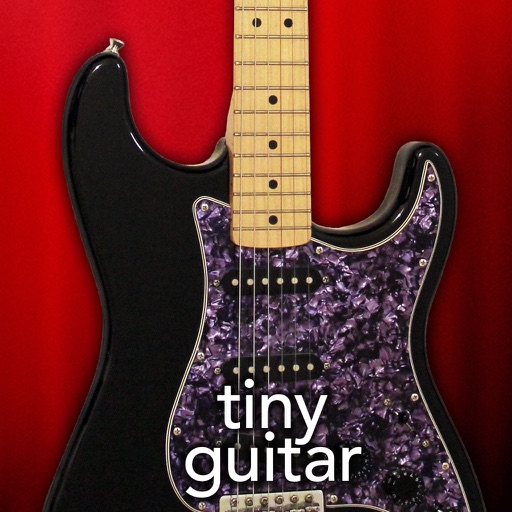
Learn riffs from over 1000 songs across multiple genres. Adjust effects and configure the . Resize the fretboard for different devices. high-quality simulated riffs with responsive controls.
Train relative pitch by identifying intervals, chords, and scales. Practice aural skills and music theory concepts. Progress through levels to master each musical element before advancing. Sync with devices for continued learning.
Play tuning notes for a standard 4-string guitar. Select notes to match pitch. Adjust frequency for accurate tuning. Save preset tunings for quick access.
Write ideas using a chord keyboard with automatic chord detection. View guitar chord diagrams. Transpose keys or use capo for tuning. Import memos from cloud or other apps. Share notes through various methods.
Learn and relative through interactive exercises. Identify double-stop notes using just intonation. Practice chord recognition and matching. Track progress with in- feedback and repetition. Sync with music libraries for real-time comparison.
Analyze audio songs in the iOS music library to display symbols. View chords in graphical piano keyboard or guitar tab formats. Practice and play songs using displayed chords.
Play by tapping or strumming to trigger notes. Access over 200 songs and riffs, including popular tracks like Amazing Grace and Stairway to Heaven. Log progress, rate songs, and provide feedback via email.
Catalog and organize chord charts and lyrics. Import from online sources or create new charts. Sync across devices via iCloud. Build and share setlists. Transpose, capo, or rewrite chords. Use with metronome, autoscroll, and chord buttons.
Listen to radio stations with adjustable equalizer settings and multiple playback options. Control volume, set sleep timers, and access a high-quality audio library with 32-bit sound.
The app allows users to customize multi-track backing tracks by removing instruments or vocals, changing key and tempo. It includes optional click track and count-in features for drummers and saves user settings automatically.
The app provides the visuals and sounds from the Nine Inch Nails song “Echoplex” as performed during the “Lights In The Sky” tour. Users can recreate the drum line and use the application as a music instrument.
Stream from a Subsonic server to iOS, CarPlay, Chromecast, or Subsonic Jukebox. FLAC, MP3, AAC, and other formats with lossless and gapless playback. Use a 10-band equalizer with genre and scenario presets.