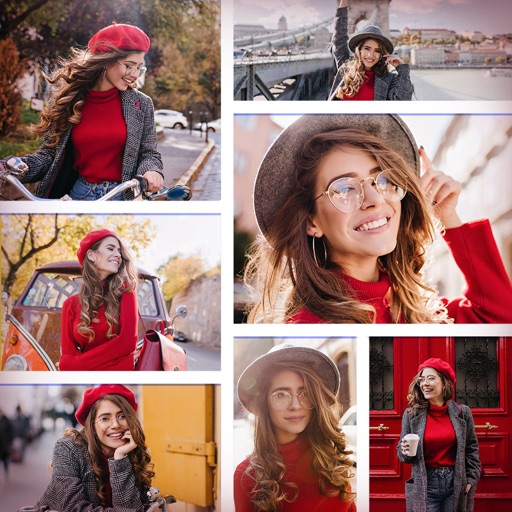
Create collages with customizable layouts in various aspect ratios. Adjust margins, padding, and corner angles for precise design. Choose from 60+ backgrounds and 100+ layouts to personalize photos. Export and share finished collages.
Create collages by combining multiple photos and videos. Choose from , poster, or editor modes. Adjust layouts, add effects, and stitch content together. Edit images with filters, cropping, and text overlays.
Set dimensions for precise printing. Arrange multiple photos using layout tools. Choose from standard paper sizes like A4, A5, Letter, and Legal. Export -ready files for accurate results. Adjust and layout before exporting.
Create visual stories with built-in editing tools and customizable templates. Adjust brightness and add effects. Insert stickers, emojis, and text. Organize photos into collages.
Create photos without cropping. Edit images with filters, backgrounds, and layout adjustments. Make photo collages using hundreds of layouts. Share high-quality photos to social media platforms. Adjust ratios and add text for customization.
Create collages by importing images from the camera roll. Combine photos using hundreds of . Adjust and rotate individual images. Add text and artwork with Pro. Share collages on Instagram.
Create carousels and photo collages using AI tools and templates. Arrange images with drag-and-drop editing. Auto-align photos for seamless layouts. Apply aesthetic presets and customize designs. Export and share finished collages directly.
Create 3d art effects for photos. Set and share 100+ HD wallpapers. Apply 100+ holiday frames to photos and share. Add festive stories to photos and share with friends.
Create collages using over 50 templates. Customize layouts, add text, and include photos or videos. images with filters, cropping, and manual adjustments. Shoot photos with manual camera controls. Export and share edited content in various formats.
Create collages using photos and videos with hundreds of templates. Arrange media in customizable layouts. Add text, frames, and effects. Share finished collages directly to social media.
The app allows users to create picture collages on their iPhone. Users can arrange pictures in various styles, add text, and customize individual picture placement within frames.
Create collages by combining multiple photos with patterns and grid layouts. Add stickers, text, and cool fonts. Edit photos with cropping and adjustments. Share finished collages directly.
Decorate home screen with interactive widgets. Display photos in sorted order or create collages. Add multiple photos at once and rearrange them. Supports transparent and iOS 18 lock screen widgets. Choose from various sizes and refresh intervals.