Measure distances and angles using augmented reality. Customize ruler settings and save measurements. Access tools for drawing, scaling, and converting units. Share measurement data directly.
Measure angles and levels with a bubble and digital inclinometer. Use 360-degree mode for versatile angle measurement. Check tilt and orientation for precise alignment tasks. Share measurements and save data for future reference.
Measure angles using your iOS device's camera and sensor. Adjust and calibrate measurements. Save and share readings. Display measurements in degrees, radians, or gradians. Switch between horizontal and vertical modes.
Measures , areas, and volumes using augmented reality. Users can object heights and save results in the Health . Measurements can be stored as images and viewed in metric or imperial units. Supports 10 languages and pre-defined object measurements.
Scan rooms in 3D using AR technology. Measure walls, ceilings, windows, and doors with precision in multiple units. Automatically calculate dimensions and generate plans for renovation and furniture planning.
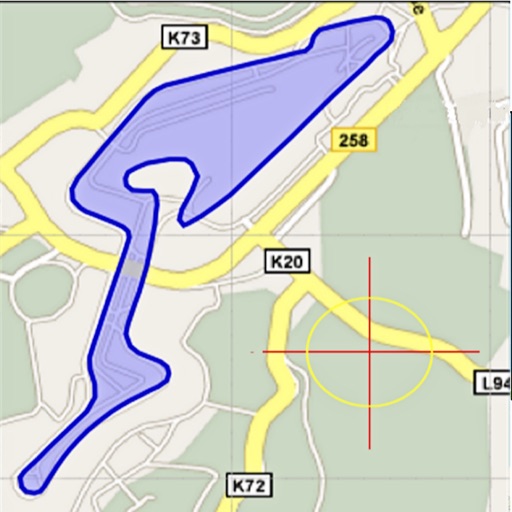
Area, lengths, and angles on maps using an interactive crosshair. Trace outlines to create connected points, updating area and perimeter in real time. Adjust radius for scaling features. View dynamic length and angle as you move the crosshair.
Allows users to distances, areas, and angles using LiDAR on iOS devices. Users can create and save measurements, export data, and share results. The supports floor plans and 3D models for accurate spatial analysis.
Measure distances by drawing routes on the map and calculating their length. Use a magnifier tool for precise line drawing. Switch between Move and Measure modes to set starting points or begin measurements immediately.
Objects, lengths, angles, areas, and heights using augmented reality. Switch between metric and imperial units. Take screenshots, use flashlight, and draw clear measurement lines. Perform single or chained measurements and estimate person height.
Measure angles with touch or camera modes. Tap the screen to set points and calculate angles. Capture images for instant analysis. Customize measurement tools and save multiple angles simultaneously. Sync measurements across devices.
Measure sound levels in decibels with real-time readings. Tap to record audio samples and view peak levels. Compare measurements against safety thresholds. Share results via email or social media. Calibrate the sensor for accurate readings.