Apps Like Background Removal&merge for iPhone and iPad
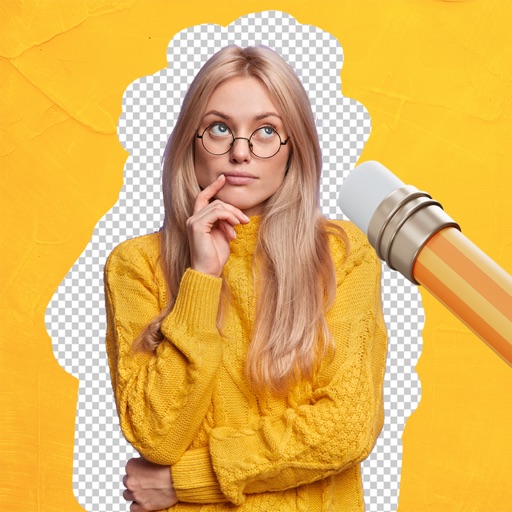
Remove backgrounds with a tap
Remove backgrounds with one-tap AI detection. Adjust edges and transparency manually. Replace backgrounds with solid colors or images. Export edited photos in high resolution.
by Yu Abe★ 3.01 ratingsPhoto & VideoFreeData updated 2026-09-06
Remove backgrounds from images using AI-powered tools. Select areas to erase and automatically cut out subjects. Export as transparent PNG files. Adjust edges and refine results manually. Share edited images directly.
Create videos with AI tools. Add automatic subtitles from audio or . Convert text to speech with one tap. Apply unique AI voices to audio. Get song recommendations. Remove backgrounds around people and faces.
Remove backgrounds from images using AI technology. Edit and generate new backgrounds. Create transparent images for social media, e-commerce, and design projects. Tap to remove backgrounds automatically.
Edit photos by removing and replacing backgrounds using AI-powered tools. Cut out people or objects with precise edges. Add custom backgrounds, blur backgrounds, or erase unwanted areas. Save edited images in various formats.
Edit backgrounds, remove objects, generate new ones
Generate realistic backgrounds by describing scenes and selecting orientation. Remove or replace existing backgrounds in photos. Edit product shots with AI-powered changes. Export edited images in high quality.
Convert photos into Anime-style artworks, professional headshots, or realistic AI videos. Edit generated images, adjust styles, and export in various formats. Share directly or integrate with social media platforms.
Backgrounds from photos using AI-powered detection. Edit portraits with specialized people recognition. backgrounds from product images with precise edge detection. Export edited images in high quality.
Remove backgrounds from photos using AI-powered erasing. Select and isolate subjects with precision. Adjust edges and refine details. Export edited images in various formats. Share directly or save to device storage.
Edit photos with AI auto-beautification, facial retouching, and skin smoothing. Adjust features, enhance lighting, and apply filters. Save and share edited images directly.
Remove unwanted objects, people, or backgrounds from photos using AI. Tap to erase clutter or clothing elements. Edit and save modified images directly.
Edit photos with AI-enhanced tools for clarity and resolution. Remove unwanted elements and separate figures or objects. Apply AI skin corrections and custom filters. Adjust HSL and curves for precise color and tone control.
Create videos using AI-powered tools like VideoGen for element swapping and AI Auto Cut for highlighting key moments. Add dynamic captions and generate text-to- content. Export and share videos directly to social platforms.
Backgrounds and erase unwanted using AI. Enhance photo quality and transform images with advanced editing tools. Edit multiple layers and apply filters. Share edited photos directly from the .
Edit photos, remove backgrounds, generate new ones
Remove photo backgrounds using AI-powered tools. Edit or replace backgrounds with new ones. Export as high-quality PNG images. Share edited photos directly.
Backgrounds with a single touch. Replace backgrounds with any image. Apply blur to create a depth effect. Adjust clarity for better visibility. Export edited images directly.
Remove objects, people, and backgrounds from photos using AI-powered tools. Edit imions and export images. Perform basic retouching and access three free removals daily.
Remove from images using AI-powered cutout. Select between "Star" mode for edge detection or "Auto" mode for pixel-based erasing. Save transparent images for use as stickers in other apps.
Remove backgrounds from images to create transparent or customized backgrounds. Edit photos to eliminate imions. Replace or erase backgrounds for product images. Export edited images in various formats.
Edit photos with background erasing and replacement. Remove backgrounds automatically or manually using AI. Replace backgrounds with custom images, colors, gradients, or textures. Adjust and enhance images with precise editing tools.