Apps Like Limit – Control the Scroll for iPhone and iPad
Set daily limits and block distractions
Block distracting apps with daily time limits. Set specific apps and durations. Automatically restrict access once limits are reached. Track usage patterns and receive notifications when limits are exceeded.
by Eighty Percent Solutions Corporation★ 4.921 ratingsProductivityFreeData updated 2026-09-06
Track progress on daily habits like workouts, reading, and meditation. Earn screen time rewards by completing tasks. Set goals and receive feedback through interactive quizzes. Sync data across devices to maintain consistency.
Convert videos or images into Live Photos for lock screen use. Apply live photo effects and share creations. Supports iPhone 6s and newer models for live .
Set Focus Zones to block distracting apps in specific locations like libraries or offices. Create customizable zones with -blocking rules. Automatically enforce focus settings without manual adjustments.
Create and edit text documents with and character counting. Import and export files via cloud services like iCloud and Dropbox. Generate PDFs and print documents. Convert text to speech. Access dark mode and local backups.
Block distracting apps and websites to reduce distractions. Set daily usage limits for specific apps. Track and receive real- feedback. Get personalized habit insights to improve phone usage habits.
Select from your gallery to create boomerang-style . Adjust playback speed and direction. Set repetition count. Add text, stickers, and images. Convert to boomerang, GIF, or Live Photo formats.
Create collages and long by stitching multiple images together. Supports horizontal puzzle and other layout modes. Maintains original clarity during stitching. Allows manual adjustments and saves high-quality originals.
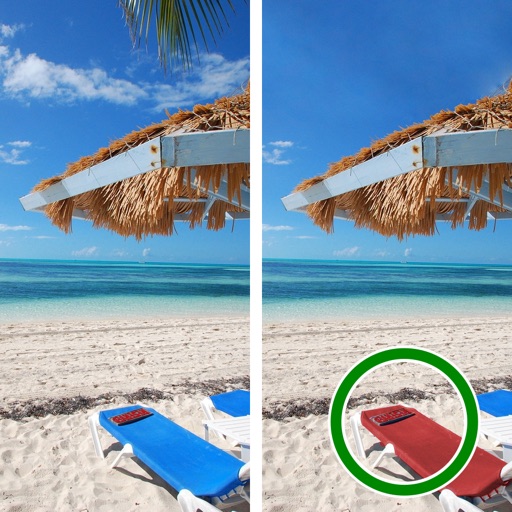
Between two photos by tapping on them. Compare images to locate discrepancies. Use hints if stuck. Play at your own pace without time limits. Train brain skills through simple, focused gameplay.
Replace distracting usage with daily prayer and Bible verses. Set screen time limits and specific . Receive faith-based prompts, prayers, and icons when attempting to open restricted .
Track daily social media usage with detailed activity logs. Set time limits for apps and websites. Block distracting content and receive notifications when limits are exceeded. View progress reports and customize usage goals.
Blocks distracting apps by default, allowing intentional access. Users can set specific times to unlock apps. Tracks and provides usage insights. Offers customizable restrictions and focus modes.
Requires scanning an NFC keycard to access distracting apps. Users select specific apps or websites to block. Tapping the card locks those apps until the card is removed.
Set tasks and rewards to encourage healthy habits. Customize rules to usage and disable non-essential features. Lock the device to enforce discipline and track progress automatically.
Block apps, schedule focus time, limit distractions
Schedule blocks to limit usage and reduce distractions. Set custom time for specific apps and websites. Block social media to improve focus. Initiate focused work sessions with one-time restrictions. Track and manage screen time effectively.
Helps users limit phone usage during specific times. Sets daily goals. Blocks distracting apps during focused hours. Tracks progress with weekly reports. Offers customizable schedules for work, family, and rest.