The app offers a digital coloring experience with over 120 free animal pictures. It features a stay-in-line brush, nine brushes for painting and drawing, and 50 pattern brushes for a unique coloring book and drawing pad.
The app offers a safe, ad-free, offline coloring and drawing experience for children aged 2 to 5. It combines animations, learning activities, and step-by-step drawing lessons to foster creativity and early learning skills.
Use AR to project images onto real-world surfaces and them for drawing. Create original artwork with real-time feedback. Adjust colors, lines, and layers within the . Save and share drawings directly.
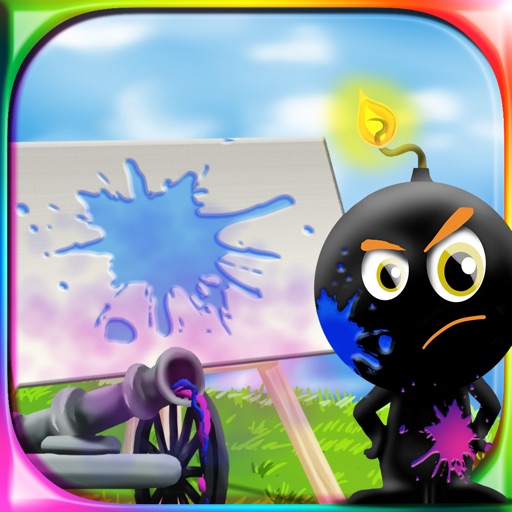
The app provides a drawing experience for all ages. Users aim and shoot colored cannonballs to create artistic splashes on a canvas and use brushes to draw.
Create digital art with drawing and painting tools. Use a wide range of brushes and customize settings for precise control. Add motion with animation tools and motion paths. Utilize symmetry guides for balanced designs.
Create art with 10 brushes. Adjust brush size and color randomly. Import photos to doodle on. Add drawings to family images for customization. Save and share completed artwork.
Create and refine artwork using AI-powered tools and AR integration. Access 550+ lessons with character-based tutorials. Collaborate with others in real-time. Track progress and receive feedback. Export drawings in various formats.
Create freehand artwork from real-life images using AR technology. , , and paint over live camera views. Add text and stickers to drawings. Export creations in multiple formats and share directly.
By allows users to select pre-made images and fill them using numbered codes. Users can zoom in on the drawing, choose colors, and match them to the image. Autosave functionality is available, and new pixel art and by puzzles are added daily.
Create intricate designs, patterns, and mandalas using intuitive drawing tools. Use a single stroke to generate complex artwork. Access a variety of brushes and color options. Save and share creations directly.
Take a selfie and submit it for others to portraits. Browse community artwork including masterpieces, doodles, and caricatures. Use GPU-accelerated tools with various brushes for drawing.
Allows users to create drawings with customizable tools and layers. Share artwork with friends or join collaborative sessions. Access weekly drawing lessons and tutorials. Save and organize projects in a personal gallery.
Create artwork using vibrant neon colors and glowing brushes. Draw on a large canvas with sketch tools. Adjust effects and export designs in various formats.
Create still or animated drawings that flow and evolve. Use generative brushes for natural, responsive sketching. Design fluid artwork for backgrounds or sharing. Adjust brush settings for precise control. Export drawings in various formats.
Create intricate tessellations and mandalas using 20 symmetry options. Draw with customizable colors and patterns. Adjust symmetry settings to design complex shapes. Save and export artwork in various formats. Share creations directly from the .