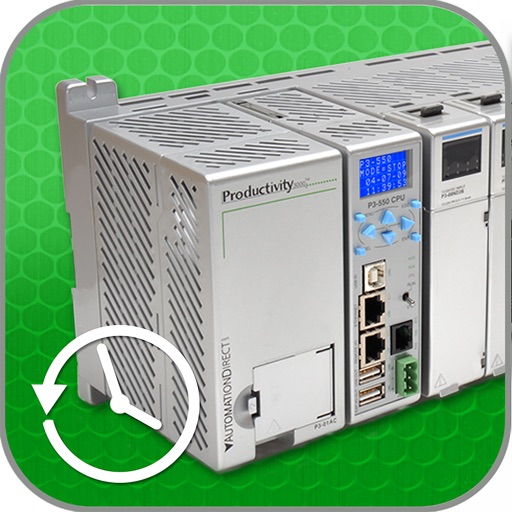
The app monitors discrete and integer values within a PLC and accesses alarm and event history. It offers a security logon for data protection and utilizes the iOS Zoom feature for screen captures.
by Automationdirect.com★ 2.02 ratingsProductivityFreeData updated 2026-10-17
Calculate ideal power supply for your PC build by selecting compatible CPU and GPU models from 2020 onwards. Input system components to estimate power requirements. Export results for reference.
Monitor real-time network speed and status. Display available storage and memory. Track cellular and WiFi traffic. Show daily and monthly data usage with optional premium features. Visualize system resources including CPU usage and IP address.
Monitor multiple servers simultaneously with real-time updates on CPU usage, memory, disk space, and network traffic. View system logs, set alerts for thresholds, and remotely restart or shut down servers.
Internet with upload, download, and PING measurements. Scan local networks to identify devices and IP addresses. View locations on a map and select optimal connection points. Access device information and diagnostic tools for troubleshooting.
Monitor network traffic and manage devices remotely
Monitor network devices with real-time traffic data and multi-device management. Retrieve live data every 3 seconds. Group devices by labels and search by name or host. Securely access and manage files via SSH and SFTP.
Share files, folders, and screenshots with Dropbox
Allows users to share files, folders, and screenshots via Dropbox. It integrates with Dropbox clients and provides additional storage space for sharing. Users can save disk space by storing files in the cloud.
Manage device security with parental controls and safe browsing settings. Store passwords securely with a vault. Use a VPN for encrypted internet connections. Block ads and cookie pop-ups. Monitor identity and detect scams in real time.
Manage servers, NAS, and Linux routers via SSH without extra software. Connect remotely using terminal sessions. Execute scripts across multiple servers. Monitor performance metrics.
Monitor CPU, memory, disk usage, processes, and temperature in real time. Manage GPIO pins with a colorful pinout and mode changes. Access an SSH terminal for full xterm experience. Browse, upload, download, rename, and delete files via SFTP.
Phone Usage displays device hardware details and activity. Monitor CPU frequency, memory usage, and network . View Wi-Fi hotspot info and carrier data. Track real-time system performance and resource consumption.
Secure browsing with encrypted connections and private IP masking. Connect to protected networks and bypass geo-restrictions. Monitor device security, block ads, and track battery health. Manage WiFi security settings and enhance overall privacy.