
Net - 系统监测网速展示流量统计工具
Monitor network speed and usage
Chengdu Jiayi Dianbing Technology Co., Ltd.
iPhone Screenshots




Description
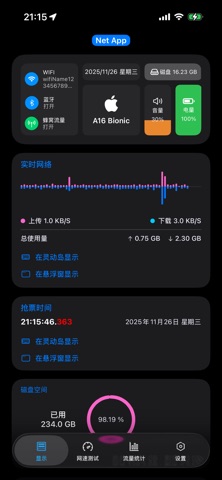
Monitor real-time network speed and status. Display available storage and memory. Track cellular and WiFi traffic. Show daily and monthly data usage with optional premium features. Visualize system resources including CPU usage and IP address.
All-in-One Data Manager
Real-time Speed: Monitor upload and download speeds instantly.
Connection Status: Track your network connectivity in real-time.
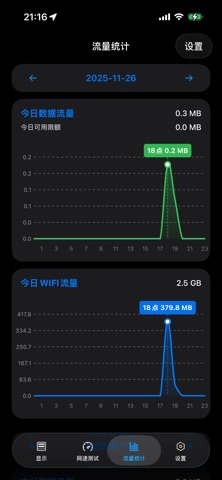
Traffic Statistics: Comprehensive tracking for both Cellular and Wi-Fi usage.
Auto-Settlement: Daily and monthly data usage reports (Premium feature).
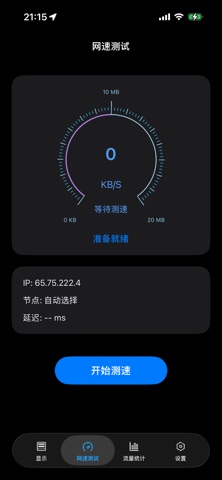
IP Information: View your public IP address and geolocation details.
LAN Scanner: Discover and display devices connected to your local network.
Deep Hardware Monitoring
Performance Charts: Visual system performance and resource usage graphs.
Storage Insights: Detailed statistics for disk space and media files.
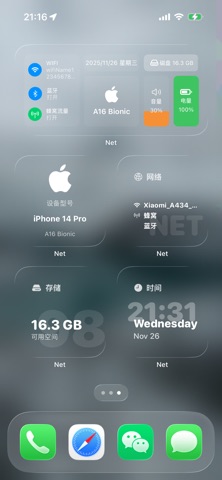
System Info: Monitor CPU architecture and low-level system specifications.
Sensor Data: Real-time dynamic data from multiple hardware sensors.
Speed Test: Detect the actual speed of your current network environment.
Dynamic & Lightweight
Home Screen Widgets: A variety of dynamic widgets for your home screen.
Dynamic Island: Real-time network speed integration with Live Activities.
Floating Window (PiP): Global network speed monitoring via Picture-in-Picture.
Ultra-Lightweight: Only ~20MB with a clean, ad-free experience.
Ticket Countdown: Support for countdown timers in Dynamic Island and Floating Windows.