Apps Like FingerPaint With Partners for iPhone and iPad
Draw together on a shared screen.
The app allows users to draw with their finger on an iPhone, iPad, or iPod Touch. Users can select from 6 colors and 5 line sizes, and connect two devices to share a drawing screen with a friend.
by Peter Kramer★ 4.410 ratingsEntertainmentFreeData updated 2026-10-17
Create and customize drawings using various tools like pen, line, arrow, rectangle, ellipse, and eraser. Choose from multiple colors including black, white, red, blue, yellow, and more. Save or share generated images directly others.
For allow users to paint pictures of animals and vehicles. Features include selecting colors, erasing mistakes, and saving completed artwork. learn animal and vehicle names while improving fine motor skills through drawing activities.
Draw a to complete a shape and calculate its area. Compete against an opponent to achieve the highest score. Share results and track progress over time.
The app is a drawing, animation, and tilemap application. It allows users to create spritesheets, edit frames, and export creations to PNG, animated GIF, and CSV files.
Customize a car with various parts. Use fingers to draw tunnels for the car to drive through. Avoid obstacles and collect coins while navigating levels. Adjust tunnel paths to find successful routes.
Solve puzzles by matching colors and shapes. Clear levels by completing patterns. Earn points and unlock new challenges. Track progress and compete with friends. Share achievements on social media.
The app provides a drawing experience with colorful stamps and rainbow lines that trigger sounds. Users can save their creations, clear the canvas with trash and eraser buttons, and choose between white and black backgrounds.
Learn to draw with step-by-step . Bookmark favorite designs. Print blank templates via AirPrint. Prevent screen sleep with a lock button. Practice mindfulness during drawing sessions.
Create sketches and drawings using built-in brushes and canvases. Trace real-world images with AR technology. Save and share artwork directly. Adjust brush size and opacity for detailed work. Import images to base drawings on.
Draw and color characters directly on the screen or with a pencil on paper. Access a public gallery to share art. Follow step-by-step drawing guides. Color pages with solid or gradient colors. Color pixel art by numbers.
Play as a hero with customizable characters. Complete tasks in various mini-. Create drawings and puzzles. Collaborate in musical challenges. Race on tracks and solve puzzles within a shared universe.
Draw lines to create shields and obstacles that protect characters from attacks like bombs and arrows. Solve puzzles by designing creative solutions. Track progress and improve drawing and logical thinking skills.
Create digital artwork with drawing tools, brushes, and materials. Use filters, screentones, and blending modes. Import images and vector graphics. Save and share drawings. Access additional features with an in- purchase.
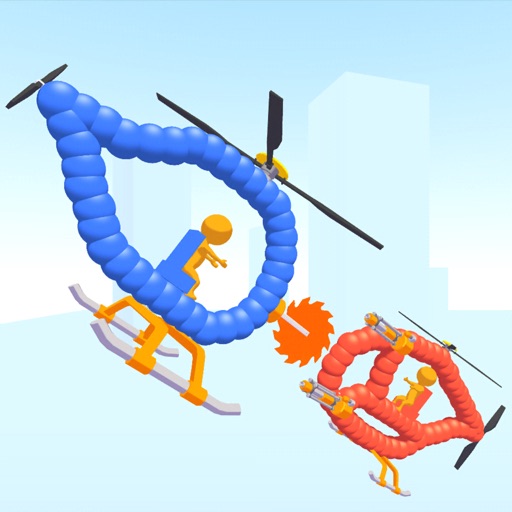
Create custom helicopters with drawing tools, select from guns, machine guns, and lasers. Battle enemies in increasing difficulty levels. Progress through stages to face stronger opponents. Play freely without cost.
Create run paths by drawing lines on the screen. Choose devices based on line length. Modify designs after creation. Add new devices in future updates. Share completed with others.