Apps Like FingerPaint With Partners for iPhone and iPad
Draw together on a shared screen.
The app allows users to draw with their finger on an iPhone, iPad, or iPod Touch. Users can select from 6 colors and 5 line sizes, and connect two devices to share a drawing screen with a friend.
by Peter Kramer★ 4.410 ratingsEntertainmentFreeData updated 2026-10-17
Characters, objects, and animals through step-by-step tutorials. Choose from various art styles including doodles and detailed illustrations. Compete in multiplayer battles. Save and share creations. Adjust brush settings and color palettes.
Games allow users to select color by number puzzles and images by tapping colors. Features include on pages, recoloring existing artwork, and saving progress. Users can access pixel art books and sketch freely without internet connection.
On a virtual surface with finger or stylus input. Choose from various drawing tools and colors. Save and share creations directly. Supports touch and pen interaction for precise drawing.
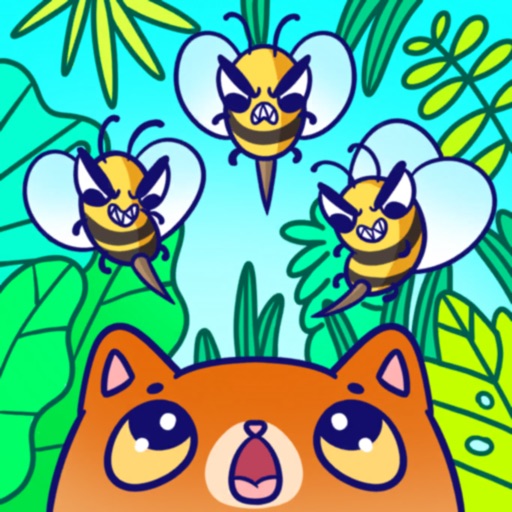
Play by drawing lines to create walls that protect pets from bees. Prevent bees from attacking for 8 seconds to pass levels. Features include multiple puzzles, cute visuals, offline play, and no wifi required.
Play games by solving problems through drawing on the screen. Choose from addition, subtraction, multiplication, and division. Select from three difficulty levels. Unlock colors as you progress. Use freeform drawing mode for creative problem-solving.
Create digital artwork with realistic painting and drawing tools. Use exclusive brushes mimicking real-world art mediums. Simulate fluid watercolor effects. Adjust brush settings for precision. Export artwork in various formats.
Allows users to import photos and access over 20 ultra-realistic brushes. Create detailed and paintings with adjustable brush pressure and flow. Export artwork in multiple formats and share directly.
Draw single is a game where players complete images using one continuous stroke. Touch and drag to connect all elements without lifting the finger. Avoid overlapping lines and ensure every part of the image is linked in a single motion.
Solve physics-based puzzles by drawing shapes to achieve objectives. Complete 100 levels with multiple solutions. Earn rewards to build and customize Squiggletown. Unlock buildings, cosmetics, and upgrades through progression.
Allows children to draw using color selection, shape tools, and an eraser. It plays when drawing and includes a random color option. Users can change line thickness and save drawings.
Draw and color by swiping to match displayed images. Match patterns with your artwork. Collect gems to unlock brushes and tools. Explore 300 levels of painting with varying difficulty.
Play a game where players draw shapes in one continuous without lifting their finger. Complete levels by connecting points without overlapping lines. Each level increases in difficulty to challenge problem-solving skills.
Create drawings with 20 colors and 3 line thickness options. Continue drawing sessions across devices. Access calming background music. No in- purchases or ads. Designed for ages 1 and up.
The award-winning game for two players offers a creative challenge with automatically adjusting difficulty. It helps users stay calm and confident while exercising fine motor skills and focus.
Draw lines with your finger to create a wall around Simba. Keep drawing until the ink runs out to protect him from bees and other dangers. Maintain the wall for several seconds to win the game.
Draw with a pen or apply colorful stamps. Tap to change background colors between white and black. Save drawings, erase, or retry. Play sounds when using stamps or drawing lines.