Apps Like Lenovo Smart Connect for iPhone and iPad
Sync photos and videos across devices
Devices across phone, tablet, and PC. View iPhone photos and videos on PC. Transfer files between devices. Reply to messages from PC. Launch apps via Tap to Launch on compatible PCs.
by LENOVO (UNITED STATES) INC★ 4.36 ratingsProductivityFreeData updated 2026-09-06
Verify accessibility by testing on devices or emulators. Check color contrast compliance. Identify focusable elements for TalkBack. Integrate accessibility rules engine into automated UI tests.
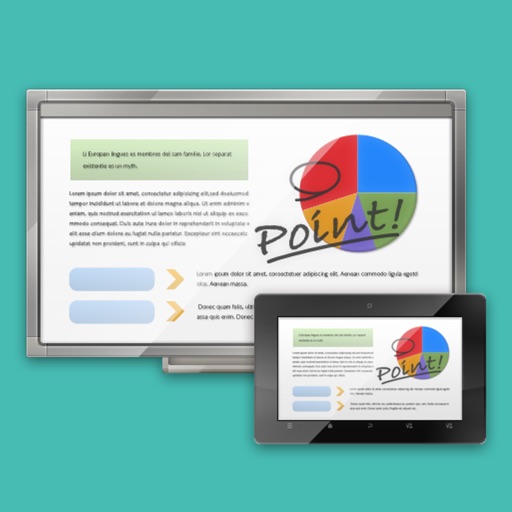
The app links a SHARP Touch Display or computer with a client device like a tablet in a wireless LAN environment. It enables sharing of meeting materials, screens, and interactive writing for annotated notes.
Control home automation devices through scenes, schedules, and device commands. View system status and receive notifications. Integrate with HomeSeer Designer and MyHomeSeer-Remote cloud service.
Control LG webOS TV with a mobile , replace lost functionality. Launch TV apps directly from the . View and manage installed TV apps. Navigate channels and settings without a physical .
Transfer files between devices on the same network without internet. Discover nearby devices automatically. Send photos, videos, documents, and folders. Use high-speed local network transfer. No account required.
Remote allows users to manage home appliances from any location. Multiple devices can be controlled simultaneously through the . A timer feature enables scheduling of various functions. Devices can be shared with family members with a single tap.
RANG DONG LIGHT SOURCE AND VACUUM FLASK JOINT STOCK COMPANY
Control devices, automate scenes, share access
Connect and control home devices remotely. Create automation scenes for scheduled tasks. Adjust device settings in real time with timers and countdowns. Share device access with family members for collaborative control.
Monitor live video feeds from IP cameras anytime, receive alerts for motion or sound detection. Control home devices via voice through integrated speakers. View camera settings and access user manuals within the .
Access remote PCs and Macs to run applications and view files. Connect from iPad, iPhone, or other devices. Deploy for team-wide access. Control devices with touch gestures and keyboard input. Share screens and transfer files between devices.
Register TLK devices using QR code scanning. Manage device batches with a setup wizard. Access Wi-Fi from a smartphone. Install and manage push-to-talk devices without cables or computers. Set up and monitor fleet devices remotely.
Control slides, highlight points, connect to computer
Control presentations by navigating slides, highlighting key points, and managing transitions from an iPhone, iPad, or Apple Watch. Connect to a computer via Desktop, grant permissions, and sync for real-time control.
Mirror smartphone content to a TV for viewing media files. Cast videos, photos, and music instantly. Support for all media types. Connect with a single click. Stream iPhone content to a larger display quickly.