Teaches early reading, math, and thinking skills through interactive games and play-based lessons. Includes progress tracking, parent controls, and alignment with preschool and curricula. Supports multiple languages and offers offline access.
Create drawings using AI to enhance sketches into detailed art. Animate drawings with a single click. Generate AI-painted artwork. Participate in drawing and animation competitions. Export creations in various formats.
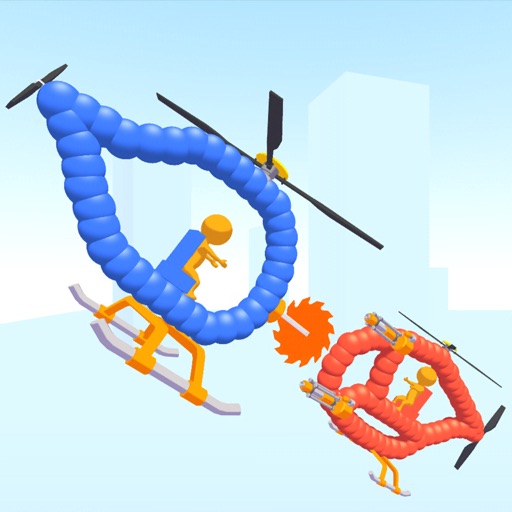
Create custom helicopters with drawing tools, select from guns, machine guns, and lasers. Battle enemies in increasing difficulty levels. Progress through stages to face stronger opponents. Play freely without cost.
Create art with step-by-step drawing guides. Choose from categories like freestyle, hip-hop, and old-school. View styles in list or grid format. Save and share completed artwork. Adjust colors and brush sizes for customization.
Create drawings with Apple Pencil support. Use grid or lined backgrounds. over existing images. Save square images. Add widgets to showcase drawings on the home screen. Enable multitasking and multi-window features on iPadOS.
Create intricate designs, patterns, and mandalas using intuitive drawing tools. Use a single stroke to generate complex artwork. Access a variety of brushes and color options. Save and share creations directly.
PLAY AND LEARN EDUCATIONAL GAMES FOR KIDS PLEI END LERN EDYUKESHINAL GEIMS FO KIDS, TOO
Draw, paint, and create with fun animals
Draw with brushes, markers, or crayons on various pages. Trace shadows to identify animals. Tap blocks to create pixel art. Collect stickers. Paint with vibrant colors and patterns. Choose from multiple pages.
Create stickmen using drawing tools and customize appearances. Navigate a storybook world with puzzles and mysteries. Unlock secrets, collect drawings, and share creations. Add sound effects and animations to drawings. Save and revisit progress.
Explore artworks and study light and composition through interactive lessons. Create original art inspired by observations. Access bite-sized drawing lessons, challenges, and guided sessions to develop skills and confidence.
Solve subtraction problems and advance through themed
Students solve subtraction problems by moving numbers into correct positions. Problems increase in difficulty. Correct answers earn points and unlock themed levels. Incorrect answers are revisited until mastered.
The app is a 3-minute addition challenge designed for children to practice addition facts. Students solve problems and unlock animated worlds with correct answers, receiving extra practice on incorrect problems until mastered.
Drawing techniques through step-by-step lessons. Create and customize sketches with various tools. Access coloring features and save artwork. Share drawings directly from the . Track progress and revisit previous lessons.
The app allows users to draw and sketch ideas with an easy-to-use interface. It offers various tools like pencil, line, oval, and rectangle, along with an eraser and undo/redo functionality.
Test your drawing skills by mimicking virtual signs to navigate a colorful, ever-changing cyber world. Collect bytes and interact with audiovisual elements. symbols to progress through relaxing, hypnotic environments.
Teaches children to correctly using animated step-by-step guidance. Features include drawing animals, flowers, and objects with assisted strokes. Includes difficulty levels to practice sketch formation and fine motor skills.