Apps Like MI Remote・TV Box Controller for iPhone and iPad
Control your Mi Box with your phone
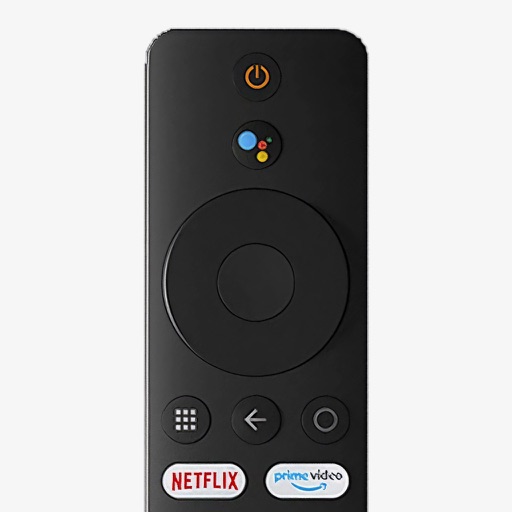
Control your Mi Box with full remote functions including volume, power, and navigation. Manage apps by opening, closing, and switching them from your phone. Use voice search to find content and control playback.
by Jacob Mitchell★ 4.762 ratingsUtilitiesFreeData updated 2026-09-06
Control TV with a . Navigate menus and web apps using a built-in keyboard or navigation pad. Automatically connect to devices on the same WiFi network. Perform searches and interact with TV interfaces remotely.
Control TV with essential buttons and navigate using a simple interface. Cast photos and videos via Chromecast. Access interactive home screen widgets. Connect to Mi TV and MI Box. Upgrade to remove ads and unlock advanced features.
Fire TV or media player via swipe gestures and touch controls. Access keyboard for text input and search. Cast photos and videos. Quickly launch favorite apps and channels. Automatically connect to devices on the same Wi-Fi network.
Control smart TV with iPhone or iPad by switching channels, adjusting volume, and muting. Access power on/off and menu functions. Requires same Wi-Fi network and TV confirmation.
Smart TVs, streaming boxes, and media players with a single . Navigate channels, adjust volume, and launch apps like Netflix or YouTube directly. Manage device settings and pair multiple remotes.
Receive faxes directly on iPhone or iPad. View and save incoming documents. Preview faxes before downloading. Manage sent and received faxes in a single interface. Share documents via email or cloud services.
Control TV functions with a digital , adjust volume, change channels, and access playback controls. Connect iPhone to TV via Wi-Fi. Subscribe for weekly or yearly plans to unlock full Touchpad features.
Control Philips Smart TVs via Wi-Fi or Ethernet network. Navigate menus, change channels, adjust volume, and access apps. Use intuitive on-screen controls to mimic original functions. Automatically detects connected TVs for easy setup.
Transform your smartphone into a for your TV. Navigate menus, play, pause, and adjust volume. Search for content using keyboard or voice. Scroll intuitively with a touchpad.
Control Samsung TV with iPhone as a secondary remote. Cast photos and videos from library to TV. Search for movies, TV shows, and YouTube content via . Manage TV settings and navigation remotely.
TVs with iPhone or iPad as a . Support Apple TV, Roku, WebOS, Tizen, and more. Auto detect TV and access all commands. Change volume, switch channels, navigate, power off, and access menu or info. Works with 100+ TV brands.
Control Roku device remotely by connecting to the same Wi-Fi network. Automatically detect and pair with Roku TV or stick. Navigate menus, play/pause content, adjust volume, and access voice search.
TV volume, channels, and power with touch gestures. Navigate menus, access apps, and search content. Compatible with multiple Smart TV models. Perform basic functions without physical hardware.
The app provides offline dictionary and translator services for over 50 languages. It offers fast, convenient, and easy-to-use features including smart word suggestions and offline text pronunciation.
Control your ThinQ TV remotely using a smartphone. Navigate menus, change apps, and adjust settings. Switch between light and dark mode. Connect via Wi-Fi and enter a PIN code for setup.
Transform your device into a for Roku TV and streaming devices. Navigate channels, playback, and manage apps with a touchpad. Access favorite channels quickly. Launch streaming apps and switch inputs. Support private listening via headphones.
Control TV with remote functions. Cast photos, videos, and media files from camera roll or cloud storage. Stream music tracks and internet content via built-in browser. Create photo slideshows and manage playback controls.
TVs and connected devices with a single . Adjust volume, change channels, and navigate menus. Access on-screen keyboard for input. Pair with Bluetooth devices. Manage playback and settings remotely.
Control TV or stick with iPhone or iPad. Connect to same WiFi network for automatic device detection. Use phone as to navigate menus, play content, and adjust settings. Supports all system features.