
Mi TV Remote・Shield Controller
Control TV with essential buttons
Aksana Sulima
iPhone Screenshots


Description
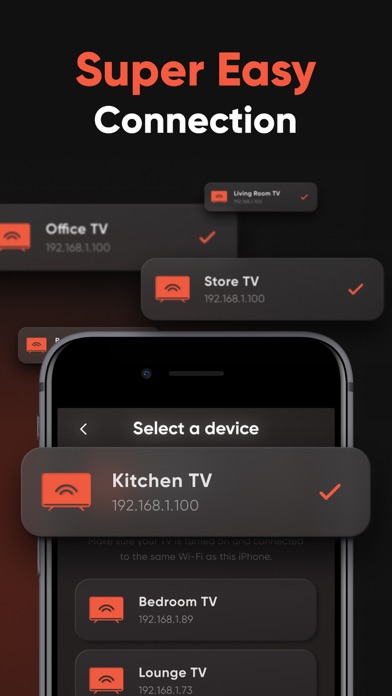
Control TV with essential buttons and navigate using a simple interface. Cast photos and videos via Chromecast. Access interactive home screen widgets. Connect to Mi TV and MI Box. Upgrade to remove ads and unlock advanced features.
Turn your iPhone or iPad into a universal tv remote for your Mi TV & MI Box. Easily control your TV with all the essential buttons, navigate effortlessly with a simple interface, cast photos and videos on your TV using Chromecast technology. This app is simple to connect, works with all OS-based TVs, and offers interactive home screen widgets. Download for free and upgrade to premium version for an ad-free experience and all awesome features!
App highlights:
- Universal Compatibility: Mi Remote works with all Mi products, as well as a large number of other OS-based TVs.
- Wi-Fi Connection: The app connects to your TV over the same Wi-Fi network, eliminating the need for an IR blaster.
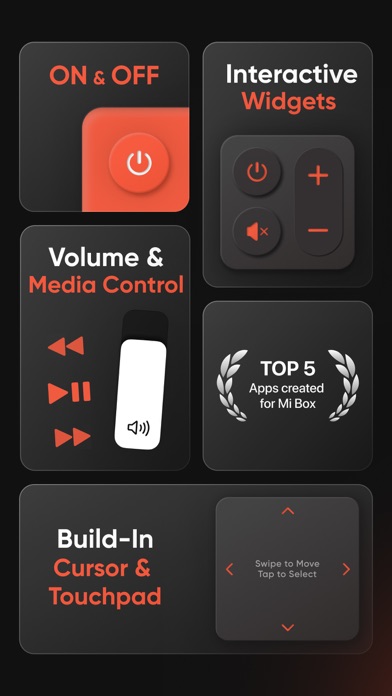
- Essential Controls: The app provides all necessary remote control buttons, including power, volume, and navigation.
- Casting Functionality: Users can cast photos and videos from their iOS or iPadOS device to their TV using built-in Chromecast support.
- Widgets: The app includes interactive home screen widgets for quick and easy control.
- Freemium Model: The app is free to download and use, with a premium version available for additional features.
Disclaimer
This is a third-party application and is not officially affiliated with Xiaomi. All rights reserved.
Privacy Policy:
https://docs.google.com/document/d/1j8izsYp6FSa5871M40oxUJ1Y5xk49nw4/edit?usp=share_link&ouid=107752087148868770802&rtpof=true&sd=true
Terms of Use:
https://docs.google.com/document/d/1HL6g2Mgp9NBcUPtlFqY3kO-ZTUuBCWGr/edit?usp=share_link&ouid=107752087148868770802&rtpof=true&sd=true
Contact:
[email protected]
- Pricing in countries may vary and actual charges may be converted to your local currency depending on the country of residence.
- Payment will be charged to iTunes Account at confirmation of purchase.
- Subscription will be automatically renewed. Auto-renew can be turned off at least 24 hours before the end of the current period.
- Your account will be charged for renewal within 24 hours prior to the end of the current period, and identify the cost of the renewal.
- Subscriptions may be managed by you and auto-renewal may be turned off by going to the user's iTunes Account Settings.