The app allows users to create banner messages with customizable backgrounds, colors, and fonts. The full version offers additional backgrounds, fonts, and removes advertisements.
by Ricardo Corin★ 4.136 ratingsPhoto & VideoFreeData updated 2026-10-16
Edit photos with background erasing and changing tools. Blur backgrounds and apply portrait beauty effects. Add realistic filters and effects with one tap. Share edited photos directly. Join a community for editing tips and feedback.
Create avatars by selecting a photo and trimming it. Add a text stroke with customizable font, color, and frame size. Save the design for use on without ads or watermarks.
Create collages with 64 layouts and custom difference templates. Add photo frames, stickers, captions, and text with font options. Edit backgrounds and export finished collages.
The app allows users to create collages on square backgrounds and add text. Users can choose backgrounds, add pictures, and modify text properties like font, size, color, transparency, and rotation.
Set wallpapers with high-quality images. Choose from fantasy and kawaii designs. Download free backgrounds for phones. Apply as home or lock screen wallpapers.
Create videos by adding animations and images. Edit using a timeline. Shoot square videos with pause function. Search assets by keywords. Use unlimited fonts. Record without internet. Ideal for bloggers and Instagram creators.
Set home screen and lock screen with -themed wallpapers. Choose from holiday backgrounds to personalize devices. Display festive images to create a magical atmosphere during the holiday season.
Set home screen with romantic and stylish images. Choose from a collection of Day-themed backgrounds. Apply directly to iPhone. Customize appearance with decorative themes. View and select from multiple romantic images.
Set home screen and lock screen with pre-designed pink-themed images. Select and apply instantly. Browse a collection of , stylish backgrounds for iPhone.
The app provides selected Christmas wallpapers and backgrounds for iOS devices. It features a user-friendly interface, quick navigation, and a slideshow option for viewing images.
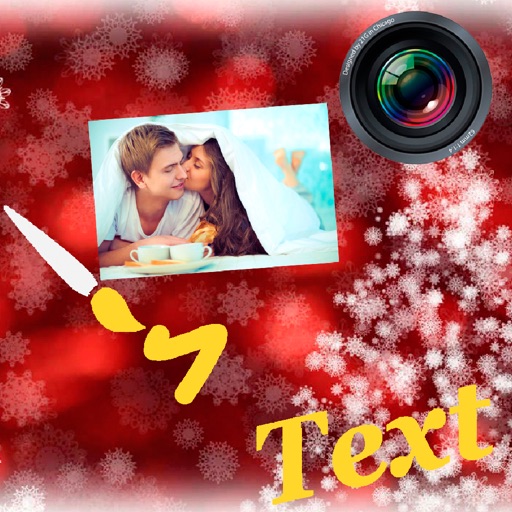
Digital with customizable backgrounds. Add text with adjustable fonts, colors, and borders. Draw on photos or include images that can be moved, rotated, and scaled. Save and share finished designs through social media apps.
Remove backgrounds from images using U^2-Net technology. Apply customizable themes and color backgrounds. Enhance social media profiles with professional-looking designs. Export edited images directly.
The app allows users to create animated images using their camera, videos, or photos. Users can add text with various fonts and image overlays, controlling their timing for custom effects.
Edit photos with AI cartoon filters, -to-sketch conversion, and mosaic art creation. Remove backgrounds, add drip art, and create collages. Save and share edited images directly.
Create and affirmations by adding text to customizable backgrounds. Design motivational posters or add text to photos. Choose from various fonts, colors, and layouts. Share finished designs directly to social media or save for later.
Create collages by combining multiple photos from the gallery. Choose from various frames and themes. Apply filters to enhance images. Share collages directly to social media platforms. Edit individual photos with cropping and adjustment tools.