The app allows users to create banner messages with customizable backgrounds, colors, and fonts. The full version offers additional backgrounds, fonts, and removes advertisements.
by Ricardo Corin★ 4.136 ratingsPhoto & VideoFreeData updated 2026-10-16
Create animated videos with customizable backgrounds and social media formats. Use a doodle editor with unlimited layers and custom speed frames. Export and share finished animations.
Add captions to photos or images using beautiful fonts and stickers. Choose from various backgrounds and styles. Insert quotes or create love messages with creative typography. Share -over- creations directly.
Create collages, cards, and albums using photos. Select from hundreds of templates and customizable grids. Add backgrounds, frames, and text. Edit images with cropping, filters, and adjustments. Share finished projects directly.
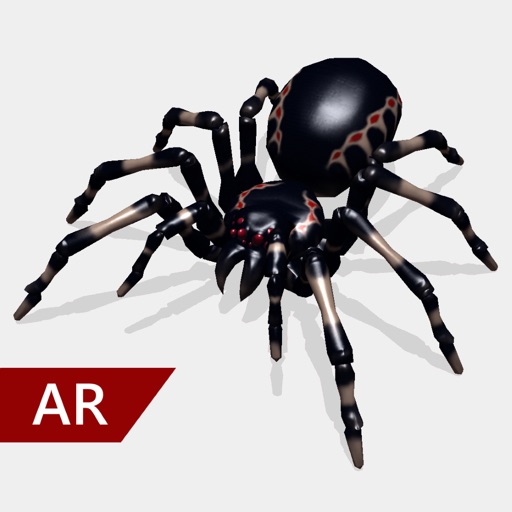
Create and share realistic scary videos featuring interactive . Choose from five spider types and adjust their size. Step on the ground to scare or let them attack. Apply nine full-screen filters to enhance the effect.
Create images by arranging words into predefined shapes. Customize with color themes, fonts, and layout options. Adjust text processing to highlight frequently used words. Export and share the final design.
The app allows users to create photo collages from their pictures and share them on social media. Users can select from 52 layouts and customize them with various frame shapes and color palettes.
Add a to enhance images with dozens of beautiful and backgrounds. Choose from various background colors and filters. Adjust contrast, brightness, color temperature, sharpening, saturation, and color balance. Add text watermarks to photos.
Create logos and icons for personal or business use. Choose from a wide range of editable templates. Customize with fonts, symbols, and elements. Export logos in multiple formats.
Create videos with customizable backgrounds. Select from a library of images and videos to replace the foreground. Record over the chosen and share the final video. Add the # tag for visibility.
Turn photos into cartoons with AI-powered filters. Apply effects, add toon backgrounds, and combine drip effects. Edit layouts and create anime-style avatars. Share edited images on social media platforms like Instagram, Facebook, and TikTok.
Create logos by choosing from thousands of professional designs or customizing from scratch. Edit colors, fonts, and layouts. Export logos in multiple formats and share directly.
Resize photos to format without cropping. Apply filters, add text, emoji stickers, and customize background effects. Share directly to social media platforms.
Create for social media posts. Add motion to for Instagram stories and YouTube intros. Customize animations and export for sharing on WhatsApp or social platforms.
Create logos using AI-generated designs. Choose colors, fonts, and styles. Customize elements like text and icons. Export logos in various formats and share directly.
Merge multiple photos into a single artwork by selecting and combining image sections. Remove or re-add parts using finger painting techniques. Adjust brush settings for precision.
Edit photos with filters, effects, and backgrounds. Add stickers and choose from various fonts. Crop, resize, and rotate images. Create square photos and adjust ratios. Share edited photos directly.
Create using augmented reality by adding photos, text, videos, symbols, and drawings. Customize elements with backgrounds, textures, and colors. Convert videos into photos and set them as .
Create custom wallpapers with graphic design elements and choose from over 1000 backgrounds. Apply wallpapers to personalize device screens. Edit and adjust themes to match personal style. Save and set custom wallpapers as device backgrounds.
The app offers tools for photo editing, including frames, layouts, and effects. Users can adjust color balance, brightness, contrast, and saturation, and apply sharpening or blurring.