Apps Like Overclip - background eraser for iPhone and iPad
Teleport anywhere with videos
Create videos with customizable backgrounds. Select from a library of images and videos to replace the foreground. Record over the chosen and share the final video. Add the # tag for visibility.
by Tasmanic Editions★ 4.41,600 ratingsPhoto & VideoFreeData updated 2026-09-21
Use a photo or gallery image to generate interior ideas. Select from room types like living room, bedroom, or kitchen. Choose styles such as minimalist, boho, or rustic. View multiple options and apply changes to the original image.
Create studio-quality product photos using AI-generated scenes and virtual models. Remove or replace backgrounds with one tap. Add custom logos and text to images. Export in high-resolution formats.
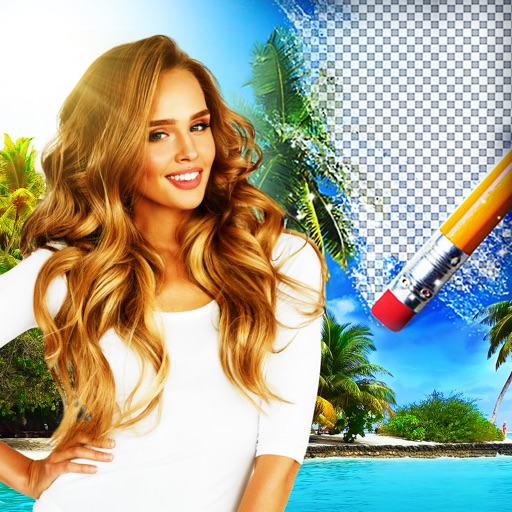
Edit photos by removing backgrounds using AI-powered . Select images from gallery or camera. Replace backgrounds with options from various categories. Blend foreground with chosen for natural results.
Create thumbnails and intros for YouTube videos using 500+ templates. Add text with 200+ fonts and effects. Use 2000+ stickers and 500+ backgrounds. Remove photo backgrounds with AI cutout. Upgrade for advanced tools and materials.
Trim videos to remove unwanted parts. Add background music from your device. Adjust speed for or fast . Modify brightness and blur settings. Insert text with customizable colors, fonts, and effects.
Convert videos into vintage style with adjustable date settings and filters. Import custom videos, add text and emojis, and include background music. Use flashlight, zoom, and selfie mode for enhanced recording and editing.
Create videos from photos with slide transitions like left, down, or fade. Adjust photo display time and add background music. Export and share the final video.
Remove unwanted objects, text, or backgrounds from images or videos. Use finger gestures to select areas for deletion. Automatically blend removed sections with surrounding content for seamless results. Edit both static images and clips.
Remove unwanted people and blemishes from photos or videos by painting and erasing. Edit images with AI tools, add text, filters, and effects. Adjust facial features like face shape, forehead, chin, and cheeks.
Create face morph videos by blending images of faces. Adjust transitions for smooth effects. Add text and stickers to videos. Export and share final videos directly.
Edit videos with effects to color, animate, enhance, warp, combine, and re-time clips. Add music, text, and stickers. Export in various formats and share directly.
Edit videos with cutting, cropping, and zoom tools. Access searchable transitions, effects, and assets from the Asset Store. Download and re-edit templates. Save in 4K at 60FPS. Use various filters, stickers, and animations.
Edit photos and videos with 1000+ across 80+ packs. Customize iOS icons and highlights for Instagram. Plan social media posts and apply filters to enhance content.
Browse 150+ categories of including anime, nature, and cars. Preview with one tap. Apply 4K and live . Supports dark mode and neon themes. Daily updates available.
Edit photos and videos with border customization for Instagram. Import media from albums, Facebook, or Instagram. Add filters, text, and shapes. Share directly to Instagram for full-size posts.
Edit photos with cropping, resizing, blending, and beautification tools. Adjust brightness, contrast, and saturation. Add stickers, backgrounds, graffiti, and borders. Create collages with over 500 stickers. Apply filters to montages.
Backgrounds from images with precise touch or auto-target tools. Maintain transparency for use in apps like Keynote or Pages. Edit pixels for accuracy and erase or restore specific areas.
Convert photos into -style characters using AI technology. Select a photo or use the to generate avatars. Customize backgrounds, animate scenes, and share created artwork. Edit and refine cartoon faces with various styling options.