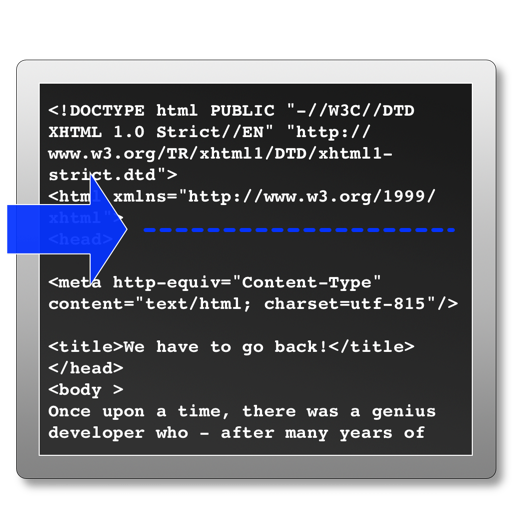
The app processes selected HTML files to add analytics tracking code before the head tag. It skips files that already contain tracking code and can create backup files before modifying originals.
by Rene Rosendahl★ 0.00 ratingsDeveloper Tools$2.99Data updated 2026-10-16
Manage files with a document and files manager. Download files without storage limits. Browse the web with a built-in browser. Play and videos from external sources. Support playback and background playback.
View and edit files with syntax highlighting. Manage local files and bookmarks. Search source text. Use tabbed browsing. Access iCloud Drive. Import files via iTunes file sharing.
A plain with syntax highlighting for multiple languages. Includes line numbers, search and replace, and a page guide. Supports code editing with customizable settings and efficient file management.
Edit files and source with syntax highlighting for C, Java, HTML, and other languages. Create new files or import existing ones via Document Browser. Support for log files, shell scripts, and multiple file types.
Download and manage files and on iOS devices with full-featured download management, auto-corrected file names, and pause/resume support. Browse the web with Safari-like features, including bookmarks, private browsing, and custom search engines.
Create ZIP files, extract archives, batch compress
Files of various formats including ZIP, RAR, 7Z, TAR, and GZIP. Create encrypted ZIP files. Batch compress videos and photos from the photo library. Extract multi-volume archives by placing all parts in the same folder and selecting the first volume.
The app allows users to create, import, and edit text and source code files. It supports syntax highlighting for several languages and offers file management features.
Edit Markdown files and export to PDF or HTML. Sync documents with cloud services like Dropbox and Box. Generate PDF and HTML from Markdown content. Store and manage .md files and exported documents.
Editor with built-in Node.js, Python, C, C++, PHP, and Java runtimes. Supports Monaco Editor for high-performance text editing. Offers autocomplete and static analysis for Python and Java.
Edit text with formatting options like bold, italic, and lists. Attach unlimited files including images, videos, and tables. Use dark mode and iCloud sync. Organize content with gestures and drag reorder. Export to HTML, Markdown, PDF, and JPG.
The app displays source code files with native colors for over 60 programming languages. Users can open Xcode projects, browse files through folders, or select .xcodeproj files to analyze and open projects with all groups and frameworks.
Browse the web and manage files . Cache and download content for use. Preview images, documents, and media files. Copy, edit, and share files. Transfer files to a computer via Wi-Fi. Play audio and video files including MP4, MKV, and 4K videos.
Scan QR codes and barcodes to retrieve information from Amazon, eBay, and Google. Create and share QR codes for URLs, WiFi, events, and VCards. Manage inventory using business mode. Edit and save scanned results.
Create and host local web pages from an iOS device. Edit code with syntax highlighting for multiple languages. Share files across a network. Save files with any extension for seamless continuation on a computer.
Edit files with multiple tabs for simultaneous editing. Use custom fonts and line numbers for precise code work. Access files via iCloud and integrate with Files . Support 191 programming languages with syntax highlighting. Choose from 242 themes.
Edit documents in landscape and portrait mode. Support for TXT, RTF, HTML, and more formats. View PDF, DOC, and other file types. Save multiple files, browse saved files, and sync with Google Docs. Upload and download files from Google Docs.
Organize and manage files and documents with drag-and-drop sorting and folder creation. Transfer files between devices and back up data securely. Open and download files from cloud storage and LAN servers.
Open KMZ files by decompressing them into KML format. View the resulting KML files in Google Earth or as source code. Access stored KMZ files in "My KMZs" and delete them by swiping.
Manage files by creating, renaming, moving, and deleting them. Sort files by name, date, or size. Use split screen, picture-in-picture, and drag-and-drop on iPad. Transfer files via WiFi between mobile and computer devices.