Apps Like ePaint - Image Editing&Drawing for iPhone and iPad
Edit images, draw shapes, add text
Edit images with shape drawing, text box insertion, and editable bounding boxes. Import images via drag-and-drop. Use pen tool, leaf brush, and brush tool for detailed edits. Adjust distortion and apply transformations.
The app offers an infinite canvas drawing tool with a fast paint engine and professional perspective tools. It supports layering, image import, text input, and a variety of natural paintbrushes.
Capture or select images from the camera roll. Add , arrows, text, and use the pen tool for annotations. Pixelate sections or include emojis. Add captions and share via Apple Messages, Mail, Twitter, Slack, Snapchat, WhatsApp, Line, and Instagram.
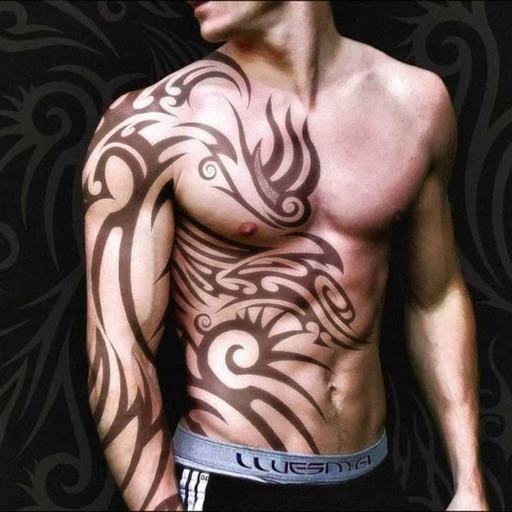
Create tattoos on photos with high-definition images. Select from various styles like dragon, color, love, and kanji. Apply effects and save or share directly. Choose photos from camera or gallery.
Fry the last frame of videos to upload to TikTok. Edit memes by frying images or GIFs from the photo library or Gfycat. Share finished memes to camera roll or via iMessage as stickers. Open created memes in TikTok and Snapchat.
Learn basics through guided lessons on letter formation and stroke techniques. Practice tracing and writing letters with on-screen tools. Access alphabet guides and stroke exercises to improve lettering skills.
Edit images with drawing tools like rectangles, ovals, arrows, lines, and text. Add notes and highlights. Adjust colors and brightness. Save and share annotated images directly.
Backgrounds from photos with precision, save images with transparent backgrounds, or replace them with custom ones. Edit photos by adding filters, drawing, inserting text, and applying stickers to create professional images and social media content.
Arthur Eduardo Skaetta Alvarez Desenvolvimento de Software LTDA.
Edit photos and unwanted content
Unwanted content from photos by selecting and painting over areas to . Use zoom and move tools to visualize the subject. Edit photos offline without internet connection. Save and share edited images directly.
Create and edit images using AI-generated art and editing tools. Transform text into images with AI. Adjust colors, crop, and apply filters. Save and share edited images directly.
The app provides layer support, selections, and masks for photo editing. Users can export projects with layers preserved and access various tools and filters.
Edit photos with AI filters, text overlays, and background removal. Generate images from text descriptions. Create future baby visuals by uploading photos. Apply AI filter packs for artistic effects. Save and share edited photos directly.
Allows users to or unblur specific areas of an image. Select photos from the gallery or capture new ones with the camera. Apply effects and save edited images to the gallery. Share blurred photos on social media platforms like Facebook and Instagram.
The app allows selective editing of photos with filters, effects, and adjustments. Users can apply multiple effects to specific areas or the entire image, offering extensive creative possibilities.
And undo in images using AI. Compare edited and original versions. View images in a single interface for detailed analysis. Change hairstyles and add layers. Add emotional expressions to images. No ads. Requires a face in the .
Create and customize digital artwork with a wide range of colors and brushes. Choose from pre-designed pages or upload personal images for . Switch to dark mode to reduce screen strain. Save and share completed drawings.