Apps Like Blur Shine - focus effect for iPhone and iPad
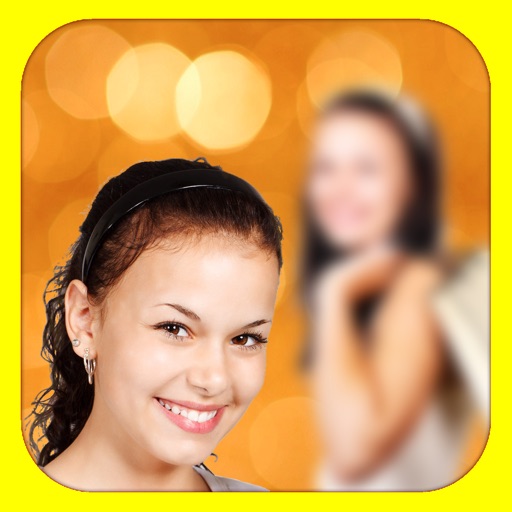
Add depth of field to photos.
The app adds depth of field to images, creating realistic blurs with Bokeh effects. Users can adjust blur amount, paint focus areas, and share creations on social media or save them.
by Alexander Dr. Rieger★ 5.05 ratingsPhoto & VideoFreeData updated 2026-10-15
Convert photos into Anime-style artworks, professional headshots, or realistic AI videos. Edit generated images, adjust styles, and export in various formats. Share directly or integrate with social media platforms.
Apply effects to photos or videos. Choose from options like soft focus, pixelate, motion , and prism. Adjust intensity and apply effects with touch controls. Export modified content directly.
Create images with added text, , or poems over photos. Customize text color, size, font, and background. Add watermarks, logos, or QR codes. Share directly to Instagram.
Capture photos and videos with a Glitter effect for enhanced visual appeal. Edit media from the gallery. Create kirakiragraphs from still images. Swipe left or right to navigate.
Take portrait selfies with front and rear camera switching via tap or shake. Use night mode for low-light shots. Auto mirror and timer functions available. Create grid collages with 1:1 and 4:3 layouts using 1 to 9 grids.
Edit photos with auto tuning, background change, and blur features. Retouch faces with skin and feature enhancements. Adjust colors, brightness, and contrast. Add text and stickers. Export in various formats and share directly.
Blur faces or sensitive information with a single tap. Apply masks, adjust blur intensity, and resize or rotate blurs. Preview, save, and share edited photos. Protect privacy by blurring documents, license plates, or unwanted elements.
Add to photos with machine learning. Choose from Bokeh, Box, Motion, Crystallize, or Pixelate styles. Adjust intensity with a slider. Apply to single or multiple images.
With filters, cropping, and adjustment tools. Apply beauty enhancements and double exposure effects. Use color splash and resize images. Access frames and story templates. Change resolution and export in multiple formats.
Apply to photos with one tap. Choose from Gaussian or zoom styles. Adjust intensity and area of focus. Export edited images in various formats and share directly.
Edit photos with background removal, object elimination, and AI-style transfer. Add text, stickers, and custom fonts. Generate AI art, create flyers, and apply effects. Export in various formats and share directly.
Edit photos and videos with like Analog Noise, Digital Noise, and VHS Noise. Apply such as Color Aberration, Datamosh, and Pixel Sorting. Save edited content as animated GIFs. Export in 4K resolution.
The app offers tools to enhance photos, remove blemishes, and apply various effects. Users can combine photos into collages, add stickers and frames, and adjust image properties like brightness and contrast.
The app converts photos to grayscale while allowing users to selectively recolor areas. Users can paint, zoom, and erase to create color splash images.
RAY INFORMATICS YAZILIM TEKNOLOJI MEDYA DANISMANLIK VE EGITIM TICARET LIMITED SIRKETI
Edit portraits with AI precision
Edit portraits with AI-powered depth control and background blur. Adjust aperture, bokeh, and focal length for realistic DSLR effects. Capture cinematic shots with intuitive controls. Sync with Apple Health for fitness tracking.
Apply effects to videos to obscure faces, logos, or background objects. Use auto-tracking for quick blurring. Define multiple areas with ellipse or rectangle shapes. Export blurred videos for YouTube, TikTok, and other social media platforms.