Image Blender HD
Jai Parkash
Blend two photos together quickly.
The app combines two photos by overlapping them. Users can select from different filters to apply to the blended images.
Photo editing with desktop power.
The app provides layer support, selections, and masks for photo editing. Users can export projects with layers preserved and access various tools and filters.
Showing 401–420 of 1,000 ranked alternatives.
Jai Parkash
Blend two photos together quickly.
The app combines two photos by overlapping them. Users can select from different filters to apply to the blended images.
Yosuke Seki
Draw art with layers and zoom
Create art with layer editing tools including adding, deleting, duplicating, hiding, sorting, and grouping layers. Use blend modes and transparency settings. Access various tools like pen, eyedropper, eraser, and selection.


Mark Marchione
Create notable pixel art on canvas.
The app offers a clean interface and clear canvas for creating pixel art. It includes features like onion skinning for game sprite creation and supports large canvases up to 4096x4096 pixels.

HITI DIGITAL, INC.
All-in-one photo editing app functions.
The app offers photo editing with frames, stamps, and templates for business and greeting cards. It includes functions for collages, filters, text, and QR codes, supporting a special metallic layer for printing.



Hitesh Polara
Create cards and visiting cards
Create cards by selecting from design templates and customizing details. Add backgrounds and stickers. Search for templates and edit text and layout. Export and share finished designs.

Sylwester Los
Capture, edit, and view videos easily.
The app offers video capture, editing, and viewing features. It includes adjustable frame rates, video stabilization, and HDR mode.


Axis SA
Record, react, edit, share videos
Record activity while using any or game. Add face-cam reactions and edit videos with trimming and effects. Share directly to YouTube, Instagram, TikTok, or other platforms.

洪 陈
Edit images with layers and effects
Edit images with 17 tools including selection, painting, and gradient application. Work with multiple layers and alpha channels. Use XCF format for native file storage. Apply anti-aliasing to text and brush strokes. Add textures and effects.

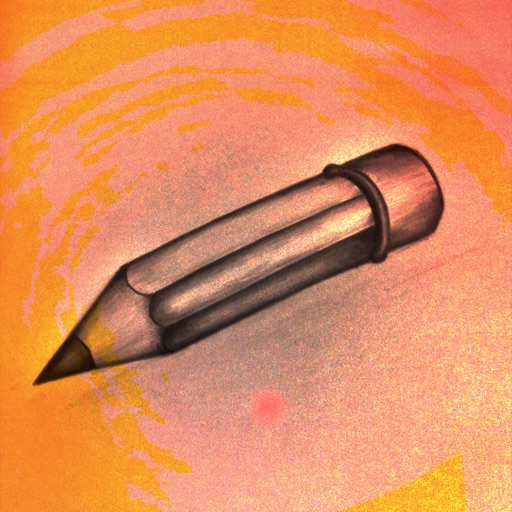
SUNG CHEOL KIM
Draw sketches with many pencils.
The app provides users with 48 pencils and 41 papers for creating sketches. It includes features such as layers, zoom functionality, an eyedropper tool, and undo/redo options.

Apps are ranked by functional similarity, category fit, rating confidence, and popularity.