Draw with responsive touch input and customizable brush sizes. Apply sparkle animations while creating art. Save drawings to the device photo album. Share completed artwork directly.
by The App Tower Inc.★ 4.3197 ratingsEntertainmentFreeData updated 2026-09-08
Create art by selecting colors and adjusting brush settings. Draw on a -like surface where flows and shifts. Manipulate to blend colors or form shapes. Use the dynamic behavior for creative expression and artistic experimentation.
Children can drawings to develop artistic skills and creativity. They can solve puzzles and patterns to enhance problem-solving abilities. The includes pixel and tangram games with animal themes. Six gameplay modes offer varied learning experiences.
Edit Minecraft skins with advanced tools including smart colors, simple body selection, copy and paste, color dropper, editing grid, eraser, and multiple brush sizes. Apply changes instantly in Java . Edit offline and undo actions quickly.
Allows children to draw using color selection, shape tools, and an eraser. It plays when drawing and includes a random color option. Users can change line thickness and save drawings.
On two backgrounds with adjustable line sizes. Continue drawing on previous sketches. Include calming music. No internet required. No data collection. Use colorful or shiny pens for creative expression.
Choose from various drawings to color. Select colors and tools to customize each illustration. Save or share completed artwork. Access for horses, dogs, and other animals.
Send messages, doodles, and drawings directly to friends’ widgets. Share sketches, notes, photos, and group messages on their home screens. Customize pen styles, colors, and thicknesses. Add backgrounds, text, and save drafts for later editing.
Color pictures with realistic brush strokes and save creations. Access a variety of pre-drawn images to color. Draw freely on blank pages with zoom functionality. Watch video replays of drawing sessions.
Convert photos to black and white drawings for . Import photos from device or camera. Add colors using painting tools. Create drawings on blank canvas. Premium version offers more paint colors, opacity control, and outline editing. Removes ads.
Create custom avatars and choose from multiple game modes including drawing, guessing, and playing with friends. Participate in daily challenges to compete globally and earn coins by guessing others' drawings.
Convert photos into pencil sketches and artistic drawings using advanced drawing tools. Apply watercolor effects and customize filters. Save and share edited images in various formats.
Allows users to select from 60+ illustrations. Choose from four realistic drawing tools including watercolor. Paint using artist-created patterns. Save and share completed pages.
Create and share custom and video art widgets for personal use. Draw unlimited pictures and animate them. Save and send creations to a partner. Access advanced tools for detailed artwork. Subscribe for additional features and content.
Draw on a white canvas with a single black brush. Each stroke fades as more is added. No erasing needed. Create continuous, ephemeral art without concern for skill level.
Kids learn through step-by-step that guide them to trace alphabets. Includes a side-by-side for practice. Features 26 lessons focused on creating drawings from letters. Allows sharing of completed drawings friends.
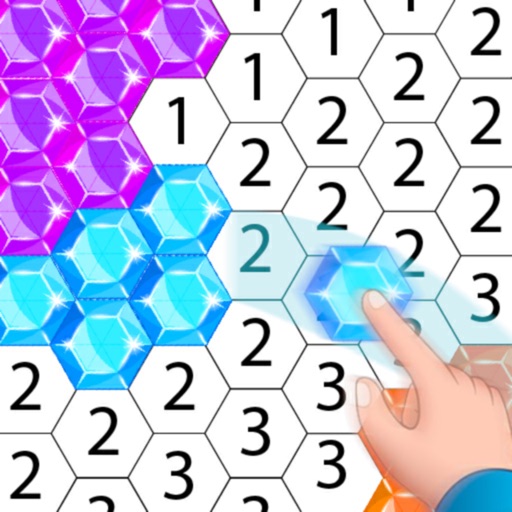
Create artwork using , gem, flower, and other materials. Select images from various categories and follow numbered steps to complete drawings. Customize colors and save creations. Share finished pieces with others.
Create personalized drawings to explore relationship dynamics, emotional states, and life timing. Interpret symbols and themes to gain insight into personal growth and connection. Save and revisit drawings for ongoing reflection and understanding.