Draw with responsive touch input and customizable brush sizes. Apply sparkle animations while creating art. Save drawings to the device photo album. Share completed artwork directly.
by The App Tower Inc.★ 4.3197 ratingsEntertainmentFreeData updated 2026-09-08
Create and color doodles with glow and neon themes. Choose from various coloring pages featuring princesses and accessories. Save and share completed artwork. Relax while engaging in creative and calming activities.
Pixels to create artwork using pre-designed characters and illustrations. Select colors and fill grids to complete images. Access free pixel art samples and premium collections for advanced designs. Complete -by- puzzles and save progress.
Color within mandala patterns using customizable brushes and colors. Save and share completed artwork. Access a variety of unique designs for relaxation and stress relief. Draw freely alongside coloring features.
Create and share sketches with realistic brush strokes and modeling effects. Study forms, shapes, and architecture. Save drawings to photo library or social media platforms like Twitter, Facebook, and Sina Weibo.
Create art using biological simulations and reaction-diffusion patterns. Apply 40+ presets to generate natural-looking designs. Manipulate parameters to adjust patterns dynamically. Export artwork in various formats.
Over image templates with automatic pen tracking for accurate . Select from preloaded categories like animals, flowers, and vehicles. Choose from over 150 colors to customize drawings. Export final artwork in various formats.
Create intricate drawings with customizable symmetry, background color, and brush settings. Apply shadows and use predefined patterns or images for inspiration. Export and share finished designs.
Create art using augmented reality features. Draw on real-world surfaces with AR overlays. Receive real-time feedback and guidance while sketching. Explore interactive tutorials and artistic tools to enhance drawing skills.
The app provides a drawing tool for users to create illustrations. Users can share their creations via email, save them to a photo album, or send them as illustrated tweets.
Create digital with pressure-sensitive strokes. Adjust pen pressure for varying line widths. Choose from multiple brush styles and ink colors. Save and share artwork directly. Import custom fonts and templates. Export in various file formats.
Take selfies with real-time beautifying filters. Adjust skin tone and appearance using specialized filters. Swipe to switch between different filter options. Share edited selfies directly.
The app allows users to draw on a blank canvas or import photos. Users can add stickers, text, and shapes, choosing from various brush colors and sizes to create unique artwork.
The app provides a digital whiteboard experience for drawing and sketching. It offers multiple marker colors and tip sizes, with undo/redo functionality and the ability to save drawings.
Solve puzzles by drawing shapes to complete levels. Adjust line thickness and color. Earn stars for completing challenges. Unlock new characters and themes. Share achievements on social media.
Draw a -Rex by adjusting poseable limbs and joints. Use reference tools and skins for detail. Change camera angles and backgrounds. Animate natural movements for realistic poses. Select from various platforms and styles.
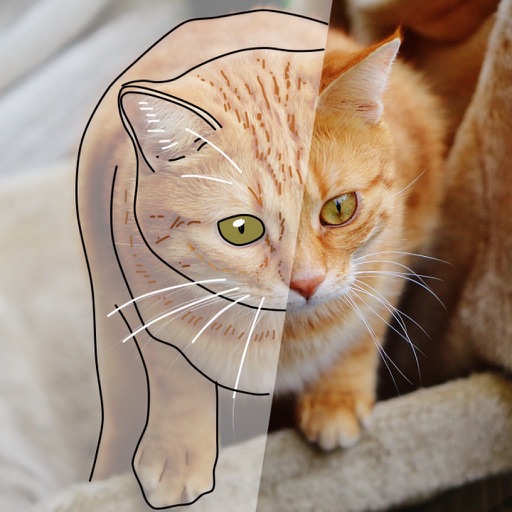
AR Camera Projection allows users to images onto paper using their phone's camera. 300+ templates provide a variety of sketching options. Users can adjust line weight and color. Export drawings in multiple formats and share directly.