The app allows users to experience augmented reality by viewing special video content. Users scan AR Maker targets with the camera, and videos appear on the display.
by SYSTEM SCIENCE Co., Ltd. App★ 5.01 ratingsPhoto & VideoFreeData updated 2026-10-15
Create AI avatars from photos and generate AI art from text prompts. Customize avatars with different styles and expressions. Share avatars as profile pictures or on social media. Edit and export AI art in various formats.
Create videos using AI-powered templates and custom ideas. Upload photos or text to generate romantic, epic, or viral-style videos. Edit length, add music, and export in various formats. Share directly to social media platforms.
Create stickers using images from the internet, camera, or photo library. Edit with text, animations, and effects. Export in JPEG, PNG, or WEBP formats. Share stickers via WhatsApp, iMessage, Telegram, and other platforms.
Edit by adding customizable with unique fonts. Adjust photo size and crop images. Modify color, add borders, and adjust brightness. Share edited directly from the .
Create and store digital outfits in a virtual . Receive notifications for new brand arrivals. Use augmented reality to try on outfits and visualize how they look in real time. Explore a vast library of digital fashion options.
Control the quadcopter via Wi-Fi using a joystick or gravity感应. View real-time camera feed, capture and review photos and videos. Enable automatic flight paths, voice commands, and gesture controls. Support VR mode for immersive viewing.
The app allows for real-time video instruction and analysis. Users can capture video, review it in slow-motion, and mark up clips with notes and drawings.
Create VR tours from panoramas of real estate, retail, or events. Capture and edit panoramas with smartphone. Generate web links to share on social media, view in VR, add to MLS, or embed in websites.
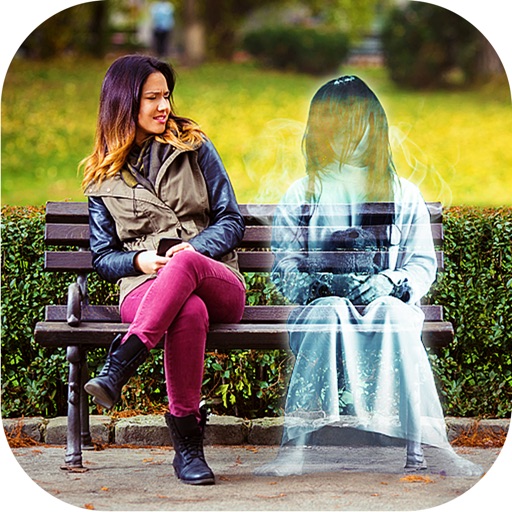
Add ghosts to and using preloaded frames. Select images from the gallery or capture live . Create scary Halloween pictures with effects and UFO or Bigfoot themes. Share edited directly.
Take photos and videos with adjustable settings. Apply free filters and themed stickers. Enhance skin tone, smooth features, and adjust facial elements like eyes and lips. Save and share edited content directly.
Create stereo 3D images by capturing or selecting two photos. Adjust depth using orange arrow buttons and shift function. Choose from multiple 3D display modes including color, gray, and side-by-side.
Create collages by combining multiple photos into a single framed image with captions. Add 2D and 3D effects. Share finished collages on social media platforms like Facebook, Twitter, and Flickr.
Convert photos, live photos, videos, and burst photos to GIFs or videos. Adjust playback speed, set loop count, and choose export size. Add background color in supported modes. Export and share the final result.