
QR Clipboard
兰桂 吴
Generate QR codes from clipboard text.
The app generates QR codes from clipboard text. Users can transfer text to mobile devices by scanning the generated QR code, which updates automatically with clipboard content.

Copy links to clipboard
Copy links to clipboard by tapping links and using the "Copy to Clipboard" button. Open links in the for direct copying. Access native VisionOS features for spatial interaction. View open-source code and submit patches. No ads or user data sharing.
Showing 141–160 of 1,000 ranked alternatives.
兰桂 吴
Generate QR codes from clipboard text.
The app generates QR codes from clipboard text. Users can transfer text to mobile devices by scanning the generated QR code, which updates automatically with clipboard content.


Marek Zima
Emulate HP50g calculator on device.
The app provides full emulation of the HP50g calculator with its original skin. Users can save and load calculator states, transfer files, and copy/paste results.


Jamie Curmi
Send encrypted messages and copy to clipboard
Send encrypted messages to contacts. Type and encrypt messages with one tap. Copy messages to clipboard for pasting elsewhere. Shake to clear the message. Recipients open messages directly in to decrypt.



Negative Code, LLC
Block ads and scripts for faster browsing
Blocks ads and tracking scripts in Safari to improve page load speed, reduce data usage, and extend battery life. Allows customization of filter lists. Open source and available for macOS.

Joseph Iannazzone
Send formatted text with Unicode
Create formatted text with special Unicode . Select a font style, generate text, and copy it to your clipboard. Send formatted messages via iMessage and other platforms.

EONSOFT
Detect and track magnetic changes
Detect objects using iPhone's magnetic field sensor. Tap to scan and view detected metals. Adjust sensitivity settings. Avoid strong magnets to prevent interference.

RootRise Technologies Private Limited
Open and view files
Open and read documents (.wpd, .wpt, .wp, .wp4, .wp5, .wp6) on iOS devices. View document outlines, page thumbnails, and search text within files. Supports versions 1 through 11.

Christopher R Hannah
Transform with custom formats
Transform using over 60 formats including Base64 encoding, Markdown, and fun styles like Clap . Create custom flows to combine formats. Edit directly within the and export results.

ClusterDev Technologies Private Limited
Type with English letters
Allows typing in using English letters with transliteration. It offers word predictions for both and English. Users can switch between languages with a language key. An emoji button is accessible after pressing 123.


Ben Robinson (UK)
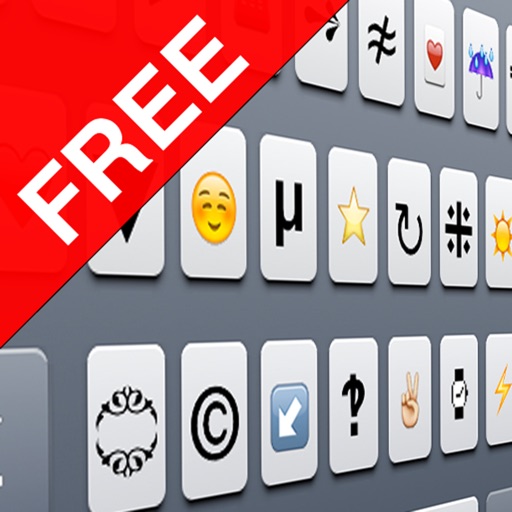
Copy characters to all applications.
The app displays supported Unicode characters for iPhone and iPad, excluding those that appear as boxes. Users can tap characters to copy them for use in messages and emails, with options to search by name or block.

Elaborapp Co., Ltd.
Open and redirect
From other apps, clipboard, or manual input. Supports multiple link formats. Redirects to Open and other services. Includes Safari Reader mode, 3D Touch Peek & Pop, history, bookmarks, and JSON backup. Imports radars from Open .

Black & Grey Studios
Edit calculations, copy results, paste inputs
Access over 50 inputs in portrait mode. Save calculation history until the is closed. Edit, copy, and paste calculations from history or output. Paste clipboard content directly into the .

Conor Mulligan
Discover, organize, and use unicode characters.
The app allows users to discover and organize unicode characters. It offers a dedicated unicode browser, custom collections, and system font previews.
Apps are ranked by functional similarity, category fit, rating confidence, and popularity.