The app offers twenty-one educational games covering fifth-grade subjects like math, science, and language arts. It reinforces skills in fractions, algebra, grammar, and more through interactive activities designed for ages 9-12.
Solve puzzles by combining four numbers with basic math operations to reach 10. Adjust equations using addition, subtraction, multiplication, and division. Track progress and replay previous challenges. Play anytime with one-handed controls.
Helps with by calculating formulas with variables, performing cross sums, converting roman numerals, counting characters, and translating letters to numbers.
Calculator displays calculations in real-time and saves a history accessible by swiping up. It handles fractions, converting between proper, improper, and mixed formats. It supports degrees, minutes, and seconds for angle input.
Unit and currency converter for quick conversions. Solve math problems with handwriting recognition. Calculate BMI, date intervals, and basic data. Analyze equations and perform photo-based problem searches.
Calculate mathematical expressions in real time with live updates. Edit and restructure equations dynamically. View step-by-step solutions and adjust variables on the fly. Share results via copy-paste or export as images.
Calculate briquettes needed for cooking based on temperature, size, and method. Adjust settings for precise heat distribution. View calculated numbers for top and bottom briquettes. Sync with recipe details for accurate cooking adjustments.
Access for geometry, algebra, trigonometry, equations, analytic geometry, differentiation, integration, matrices, probability, and statistics. Includes units conversion and math tricks. Perform calculations and look up for students and professionals.
Perform calculations with a multi-line display that supports complex expressions and order of operations. Edit equations, save history, and switch between and basic modes. Share results via copy or email.
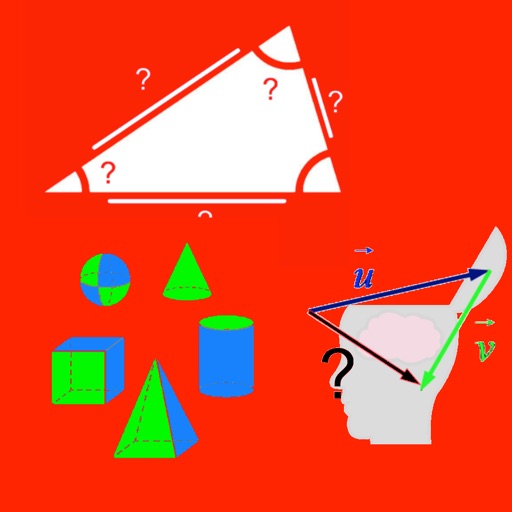
Calculate lengths, angles, and area of shapes. Select a shape from a list. Input values into text boxes linked to orange points. Adjust point positions using the NEXT button or tapping points.