Updates printer firmware via Bluetooth. It detects the printer's firmware type and version, compares it with server data, and performs automatic firmware upgrades. Users can initiate the update process and monitor progress.
by Shenzhen Weida Technology Co., Ltd.★ 0.00 ratingsUtilitiesFreeData updated 2026-09-06
Secure browsing by encrypting internet traffic and hiding IP addresses. Connect to global VPN servers to bypass geo-restrictions. Protect data on public Wi-Fi networks. Block ads and tracking cookies. Manage connections and server locations manually.
Fetches accurate time from an server. Automatically detects and adjusts to your time zone. Allows users to set custom images as background. Switch between digital and analogue views by swiping.
Secure your online activities with end-to-end encryption. Connect to private networks and bypass geo-restrictions. Protect data transmission and hide IP address. Manage server locations and set up automatic connections.
Configure devices via Bluetooth for commissioning tasks. Identify and set up devices by proximity with a steady blue LED light. Upgrade firmware for new features. Use the LED to locate units from a distance.
Play high and low frequency sounds and vibrations to remove from iPhone speakers. Use manual mode for custom frequency settings or automatic mode for predefined settings. Initiate removal process and monitor progress.
Monitor status in real time. View network activity, signal strength, and device connections. Manage connected devices and restart the remotely. Check firmware updates and basic settings.
Set up Halo/Router network by connecting units to modem and following instructions. Find optimal placement for additional units. Manage entire mesh Wi-Fi system including network settings, device management, and firmware updates.
Manage and customize with settings for noise cancellation, equalizer adjustments, and battery monitoring. Pair devices easily, control volume, and access firmware updates. Track usage stats and adjust touch controls for personalized experience.
Lets users purchase credit via the and use it at participating locations. It connects via Bluetooth to washers and dryers for payment. Users can view transaction history and manage account balance.
Install and configure Husqvarna Automower® with EPOS™ technology via Bluetooth. Access settings and firmware updates. Sync with Husqvarna Cloud for remote management. Requires dealer account with HSH - Robotics Add-on access.
Allows manual firmware updates for PT30 and PT40 ELD devices. It compares data capture results between HOS applications and itself to verify functionality. It is designed for ELD solution providers and customers.
Setup trail cameras via Bluetooth. View live video to confirm installation. Adjust camera settings remotely. Browse photos and videos stored on the device. Download media to smartphone gallery for sharing.
Control lights via Bluetooth without needing a physical connection. Adjust brightness, color, and patterns. Sync with multiple devices and schedule lighting changes.
Manage 3D printer operations with remote start and monitoring. Control advanced printer functions and track print progress. View real-time status and adjust settings directly from the mobile device.
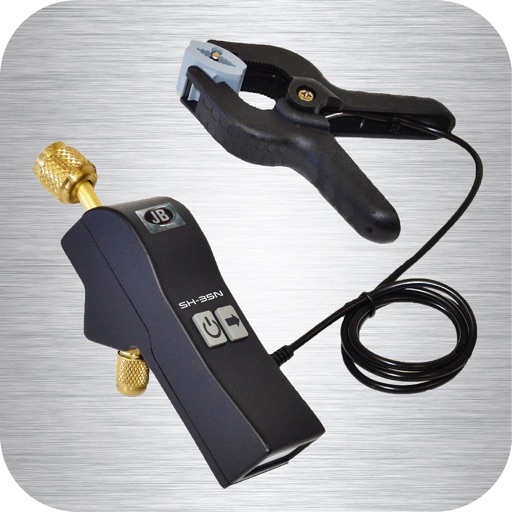
Measure pressure, temperature, saturation, superheat, and subcool. Program up to 5 refrigerants. Update firmware. Monitor system data on a single screen.
Connect and configure devices for clear audio. Download firmware updates via OTA. Use built-in PDF scanner to convert documents. Manage device settings and audio preferences.
Control DMX512/RDM devices by editing addresses and performing dimming tests. Adjust parameters remotely. Flash firmware over Wi-Fi to update devices to the latest version.
Manage connected devices through a centralized interface. Control smart home appliances, set schedules, and receive notifications. Monitor energy usage and update device firmware remotely.