Adjust audio frequencies with a parametric equalizer. Add a filter band for precise control. Adjust gain and Q settings. Apply preset EQ profiles. Save and recall settings. Export adjustments for use in audio projects.
Meditation "Guide users through breathing exercises and mindfulness sessions. Track sleep patterns and relaxation progress. Offer personalized focus and stress relief techniques based on neuroscience principles."
Allows users to play notes with customizable layouts and multiple notes on screen. It includes music theory integration for note identification and chord recognition. Users can adjust key signatures and scale modes.
Create and customize music with 139 sound presets including piano, guitars, ethnic instruments, and synths. Access 29 guitar tuning presets and 14 musical scales for composition. Adjust pitch, volume, and effects in real time.
Edit videos by removing wind, hum, and background noise. Adjust volume levels and mute sections. Apply professional audio effects. Export polished audio to Photos for social media use.
Control mixing, processing, and effects of X18/XR18/XR16/XR12 mixers via iPad. Adjust 18 input channels and 12 buses. Edit 4 stereo effects processors. Access routing, EQ, and dynamics settings. Save and recall mixer configurations.
Record with no duration limit and up to 24 bit / 96 kHz quality. Edit files with fluid performance, even with large files. Use unlimited undo and redo features for precise edits.
Create beats and melodies using drum kits, synths, and melodic instruments. Sample audio via phone microphone. Edit MIDI sequences and export tracks to Live. Explore sound libraries and experiment with effects. Save and share musical ideas directly.
ToneBoosters displays real-time , spectrum, and goniometer visuals. It processes microphone input for audio analysis. Supports AUv3 plugin format for integration with compatible host apps.
Explore through mathematical concepts. Calculate note frequencies using the 12th root of 2. Visualize octaves and intervals with ratio comparisons. Adjust semitones to see frequency changes. Link musical notes to their corresponding frequencies.
Record and play files. Edit with cut, copy, paste, trim, fade, and silence insertion. Normalize and reduce noise. Adjust tempo, speed, and pitch. Use a 10-band equalizer and compressor. Split vocals and accompaniment. Remove reverb and clean voice.
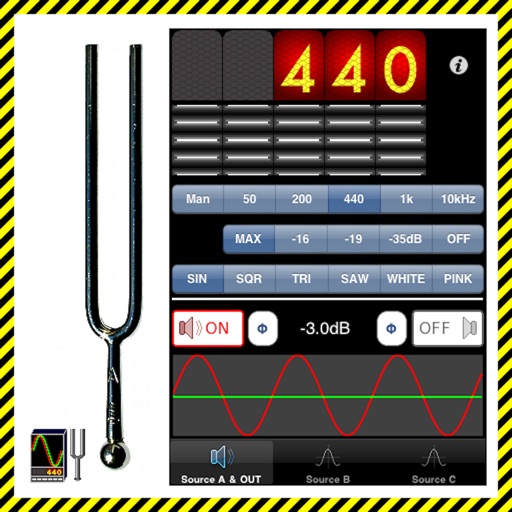
The app generates test tones including sine, square, triangle, sawtooth waves, and noise. Users can combine up to four independent sources with phase switching for each channel.