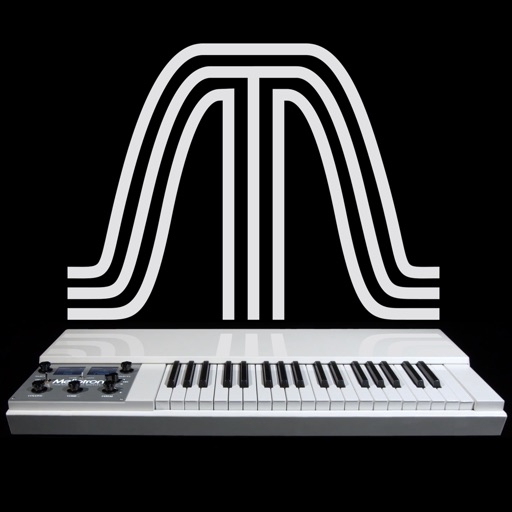
The app reproduces the sounds of the original Mellotron. It features six sounds from the original library, allowing keyboardists to play real instrument sounds.
by Markus Resch★ 4.54 ratingsMusic$1.99Data updated 2026-11-06
Record and manipulate audio with a virtual deck featuring 3 controllable read heads, variable delay, and feedback. Sample, loop, and overdub audio. Use as a master effect or virtual recorder. Realtime visualization of movement and effects.
The app emulates vintage 80's hardware drum machines with a realistic interface. Users can play included rhythm presets or create their own patterns, with control over drum kit parameters and song mode.
Learn to play the with interactive charts and real-time sound demonstrations. Choose from piccolo, , alto , or bass . View finger positions, listen to notes, and access lesson tutorials for structured practice.
The app offers a virtual fretless bass instrument with a piano-like note layout. It provides 13 sampled bass sounds and supports MIDI input/output, Audio Unit 3, and Audiobus.
Create and customize basslines with a synthesizer and drum machine. Adjust waveform shapes, filter settings, and envelope parameters. Sequence rhythms with step editors and pattern loops. Export audio files and share directly.
Create and manipulate audio using granular synthesis techniques. Adjust grain size, direction, and step size. Apply effects such as reverb, wave shaping, and sample crushing. Connect via AudioCopy, AudioBus, Inter Audio, and AUv3.
Create beats using built-in samples or imported audio. Add and arrange sound kits. Adjust tempo and volume. Export tracks in various formats. Share finished beats directly.
Play melodic sounds using a 3-octave keyboard or MIDI controller. Access 63 tapes from Streetly's Production Masters. Control internal settings via MIDI. Record and perform with real-time adjustments. Sync with external devices for expanded control.
Edit videos with real-time filters and . Apply lenses like toonify, fire, Instagram, and vintage retro. Adjust colors and settings. Save and share edited videos.
Create and edit music with virtual instruments and audio effects. Record and arrange compositions. Export tracks in various formats. Share finished songs directly. Import audio files for integration.
Learn notes and chords through interactive . Identify key signatures for major and minor scales. Guess notes on treble and bass clefs. Play competitive to practice guitar and piano chords using a MIDI keyboard.
Create and shape oscillator waveforms by drawing with 32 blocks. Generate retro sounds using mirrored halves. Interpolate between 16 oscillator pages. Apply effects like arpeggio, stereo delay, and resonant filter. Record sounds on a tape interface.
Record sounds via microphone and play them on dual piano keyboards with a rhythm machine. Create complex musical arrangements using voice, instrument, and environmental samples. Export and share audio files. Supports Audiobus and MIDI connectivity.
Learn musical notes, fingerings, and rhythms through interactive gameplay. Compete against up to three players on a single instrument. Earn ninja belts by improving speed and accuracy. Purchase additional instruments.
Create music by touching the screen to play notes and adjust sounds. Use multi-touch surfaces like radar, ribbon, or keyboard. Move fingers to modify tones. The semi-generative engine selects suitable notes automatically.