Edit photos and videos with advanced tools including exposure, ISO, and white balance adjustments. Adjust focus, color grading, and apply filters. Export in various formats and share directly.
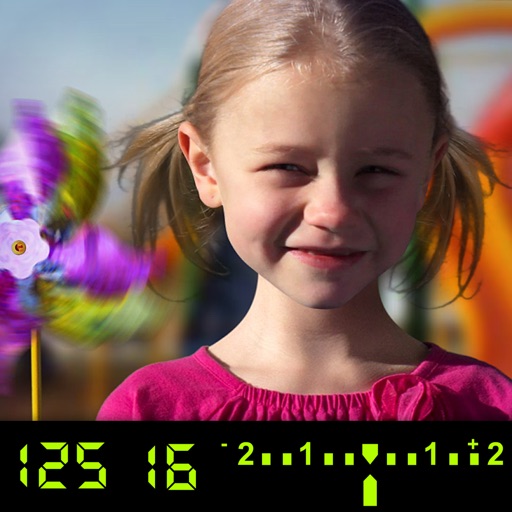
The app visually explains DSLR camera controls. Users can experiment with settings and see the effects on a sample image, receiving feedback on their choices.
Take high-quality photos and videos using triple or dual camera support. Apply over 30 filters to enhance images. Switch between lenses automatically or manually. Adjust zoom up to 15x and switch resolutions. Lock focus and exposure for stable shots.
The app offers manual and automatic modes for adjusting shutter speed and exposure. It includes a light trail mode for creative effects and a self-timer for capturing shots.
In and out up to 15x while taking photos using a slider. Auto-stabilize images and videos. Adjust photo quality automatically. Use timer settings for 3, 10, or 20 seconds. Enable tap-to-shoot or swipe-to- options. Video available via in- purchase.
Capture 360° HDRi images using multi-exposure panoramas. Adjust dynamic range settings. Stitch and export 32-bit EXR format files. Generate realistic 3D lighting and lightmaps for animation and compositing.
Create and fly optimal flight paths for mapping using photogrammetry. Process maps with custom software or online service. Sync flight logs and mission plans for debugging and troubleshooting.
Capture 4K videos at 30, 50, or 60 FPS or take high-quality 5K photos with a single press. Adjust exposure by dragging, flip the camera with a double tap, and record by holding.
Offers control over ISO, shutter speed, focus, and white balance. Users can shoot high-resolution photos and cinematic videos. Features include -style settings, focus adjustment, and exposure control for professional-quality imaging.
Edit photos with blending tools to create double exposure effects. Add frames, quotes, and background elements. Apply single-layer filters. Export edited images without ads. two images with one touch.