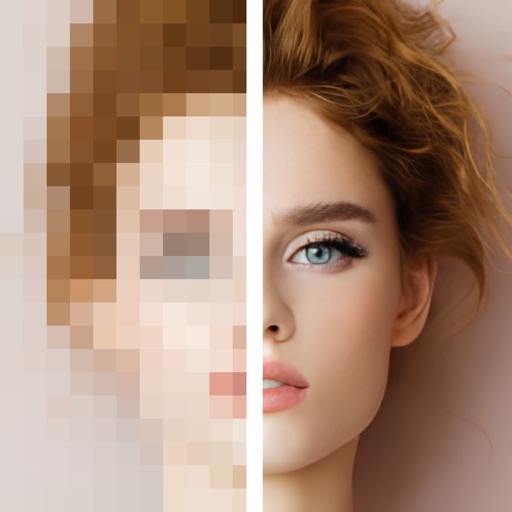
Upscale videos to 16K using AI models like BSRGAN and Real-ESRGAN. Edit blurry footage for improved detail and clarity. Apply AI enhancements without cloud processing. Access premium models with subscription. Share upscaled videos directly.
Upscale photos by 2×, 4×, or 8× using AI. Repair low-resolution images, retouch faces, and apply advanced enhancements. Supports macOS Tahoe 26 and works efficiently on M1/M2/M3/M4 chips. Export enhanced images directly.
Upscale videos to 8k resolution while maintaining sharpness and detail. Process videos offline or batch upscale multiple files. Automate upscaling with Shortcuts. Supports various video formats and runs on GPU for faster performance.
Upscale images to 2x, 4x, or 6x resolution using AI. Adjust colors, brightness, and contrast with HDR. Customize output settings and save or share enhanced images.
By applying AI-based colorization, repair, enhancement, and upscaling. Adjust brightness, contrast, and clarity. Remove scratches and red eye. Save and share edited images directly.
Edit photos using contrast, saturation, and brightness tools. Apply free and custom filters. Share edited images to social media or save in high resolution. Collaborate with other photographers in a community workspace.
Enhance photos with AI-powered upscaling and clarity improvements. Fix blur, sharpen details, and colorize images. Restore old photos and upscale to HD. Export enhanced images in various formats.
Images to 4K resolution using AI-powered technology. Apply enhancements to improve clarity and detail. Edit and save upscaled images directly. No cost for all features. Simple interface for easy use.
Enhance quality with advanced algorithms to sharpen and clarify images. Adjust colors and brightness. Apply filters and effects. Edit multiple photos in batches. Share edited photos directly to social media.
And people from photos using AI-powered erasing. Edit images with AI expand, generative fill, and AI replace tools. Adjust backgrounds for a natural look. Export edited images in various formats.
Edit photos with one tap for HD clarity and natural beauty. Unblur faces and details, enhance multiple photos in batch, fix lighting and color, upscale images, reduce noise, and increase sharpness without over-editing.
Turn devices into monitors using a USB-C dongle and the Video System . Capture and display video from cameras, consoles, or computers. Adjust settings and control output directly on the device.
Edit photos with depth-based bokeh effect for professional portrait blur. Restore old or damaged images with enhanced clarity. Remove unwanted objects from photos. Adjust colors, brightness, and contrast. Export edited photos in various formats.
Enhance videos and photos to HD/Ultra HD/4K with before/after comparisons. Apply creative transitions. Retouch selfies to improve appearance. Stabilize shaky footage for smoother results.
AI Extender allows users to images beyond original boundaries. Adjust proportions and enhance compositions. AI Image Enhancer improves clarity and sharpness. Add text overlays and apply filters. Export edited images in various formats.